Cloud App Deployment
One-click deployment of Cherry Studio Enterprise in Tencent Cloud Marketplace
🚀 Quick Start
Cherry Studio Enterprise is now available in the Tencent Cloud Marketplace with one-click deployment, allowing you to experience the full enterprise AI platform without complex configuration.
Currently, one-click cloud app deployment is only supported on Tencent Cloud. We are actively expanding support for other cloud providers.
Tencent Cloud Marketplace link: https://app.cloud.tencent.com/detail/SPU_BHFHEJFDEE4965
📋 Deployment Flow
Step 1: Start Installation
- Visit the Tencent Cloud Cherry Studio installation page
- Sign in with your Tencent Cloud account
- Click Install to select resources
- Choose the nearest region for deployment
No servers available in the selected region? See solution
Step 2: Configure Deployment Parameters
The system will automatically detect your network environment. If you already have suitable network and security group settings, proceed to the next step.
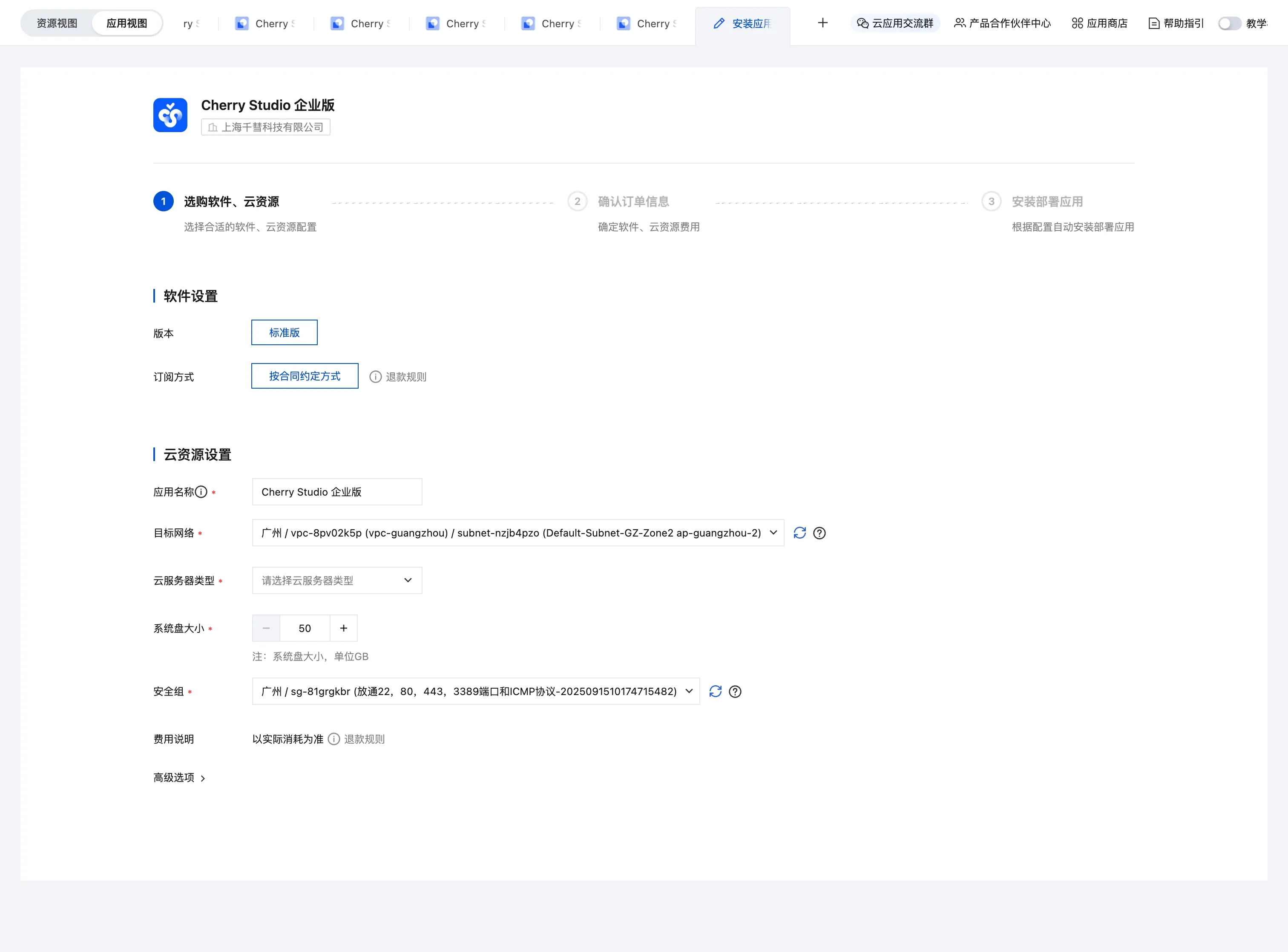
Step 3: Wait for Creation
App creation takes a few minutes. Please wait.
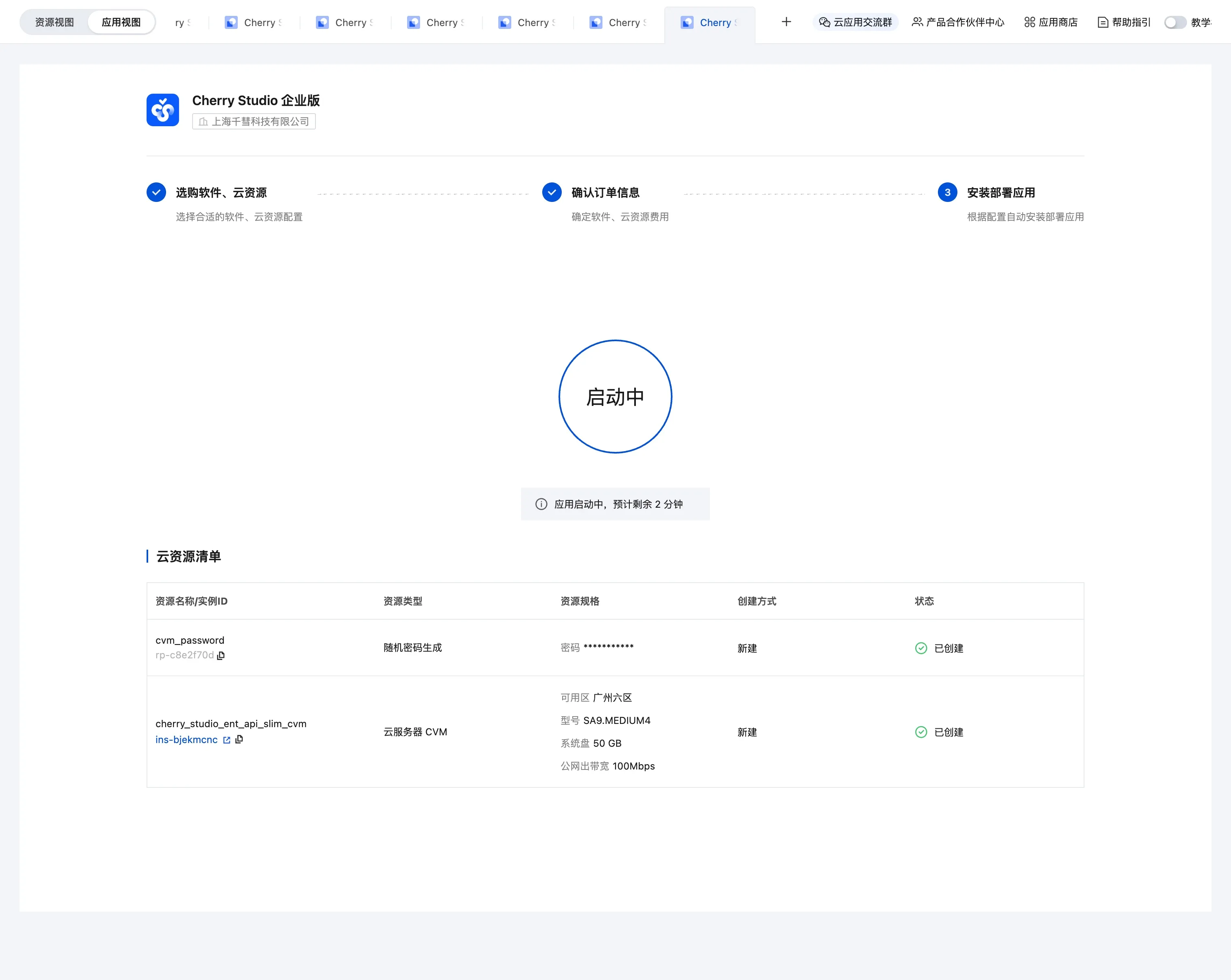
Step 4: Get the Access Entry
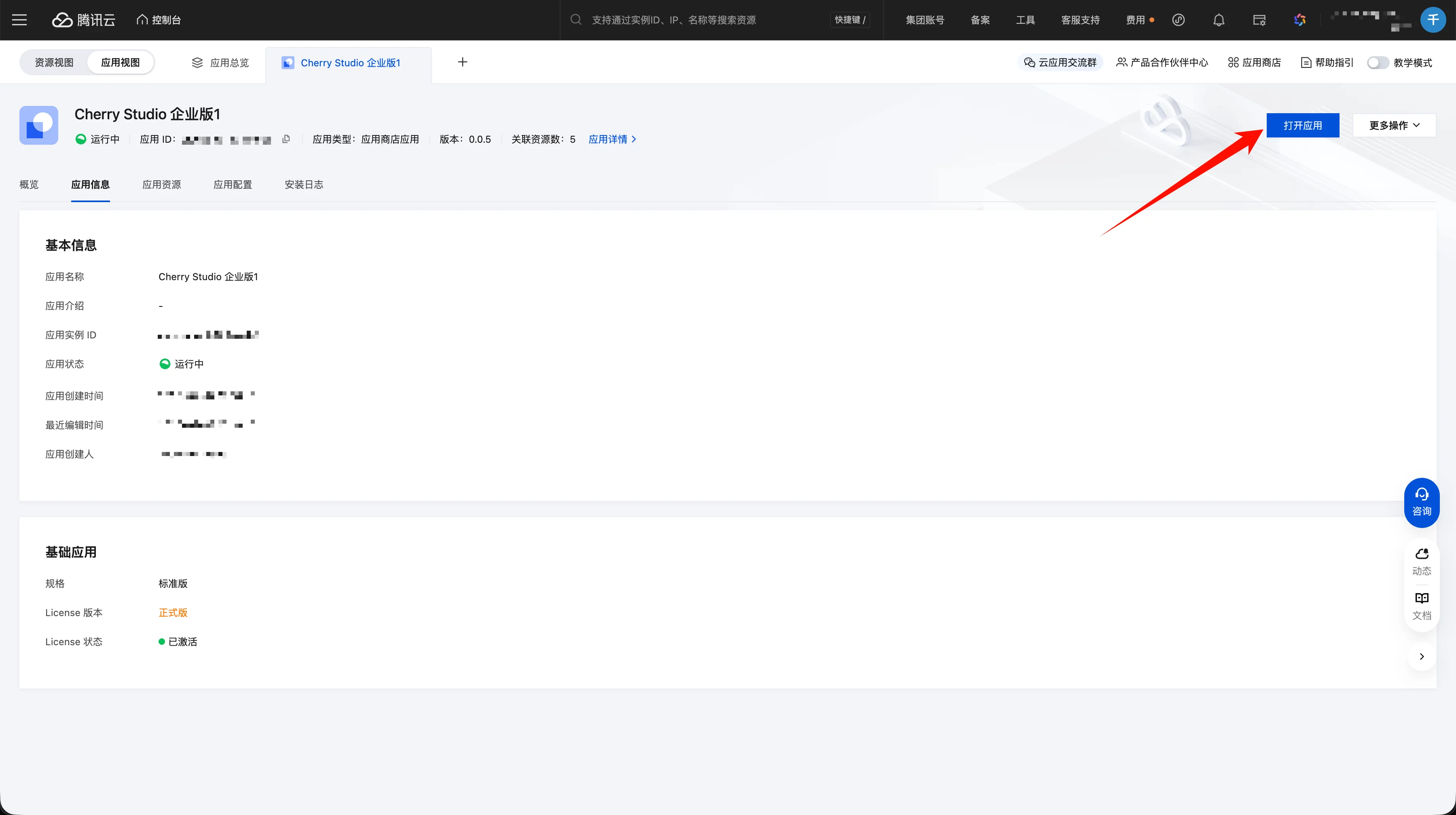
After creation, open the app settings page to get the access entry:
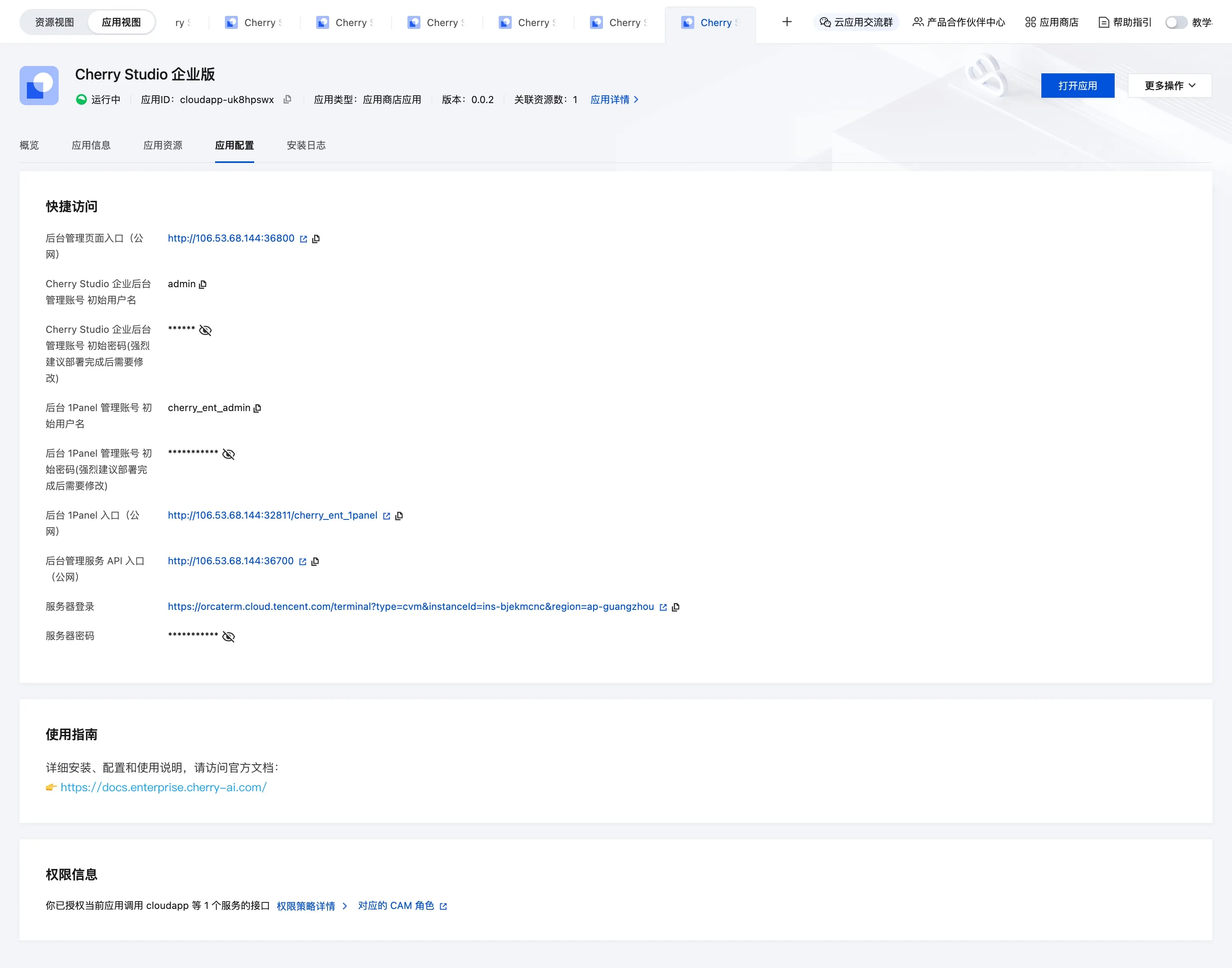
Click Admin Console Entry (Public) to access the Cherry Studio Enterprise admin console.
Can't access the admin console? The security group may not allow the request. See solution
Step 5: First Login
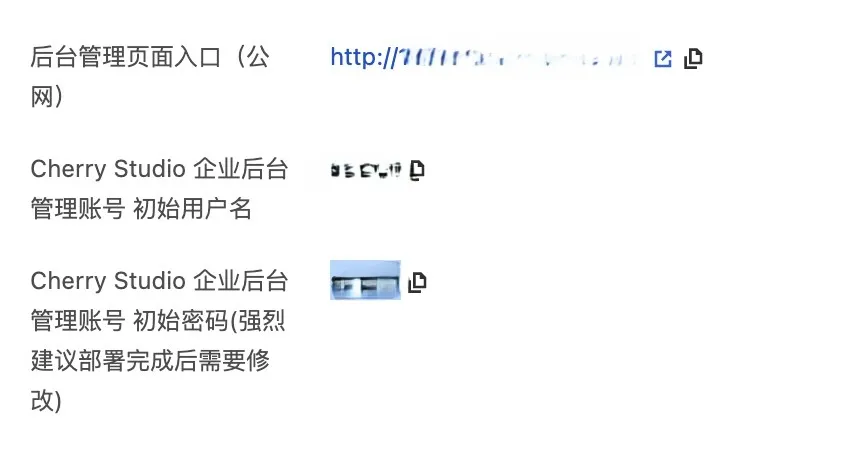
Use the Cherry Studio Enterprise admin account shown on the app settings page:
- Initial username: see the app settings page
- Initial password: see the app settings page
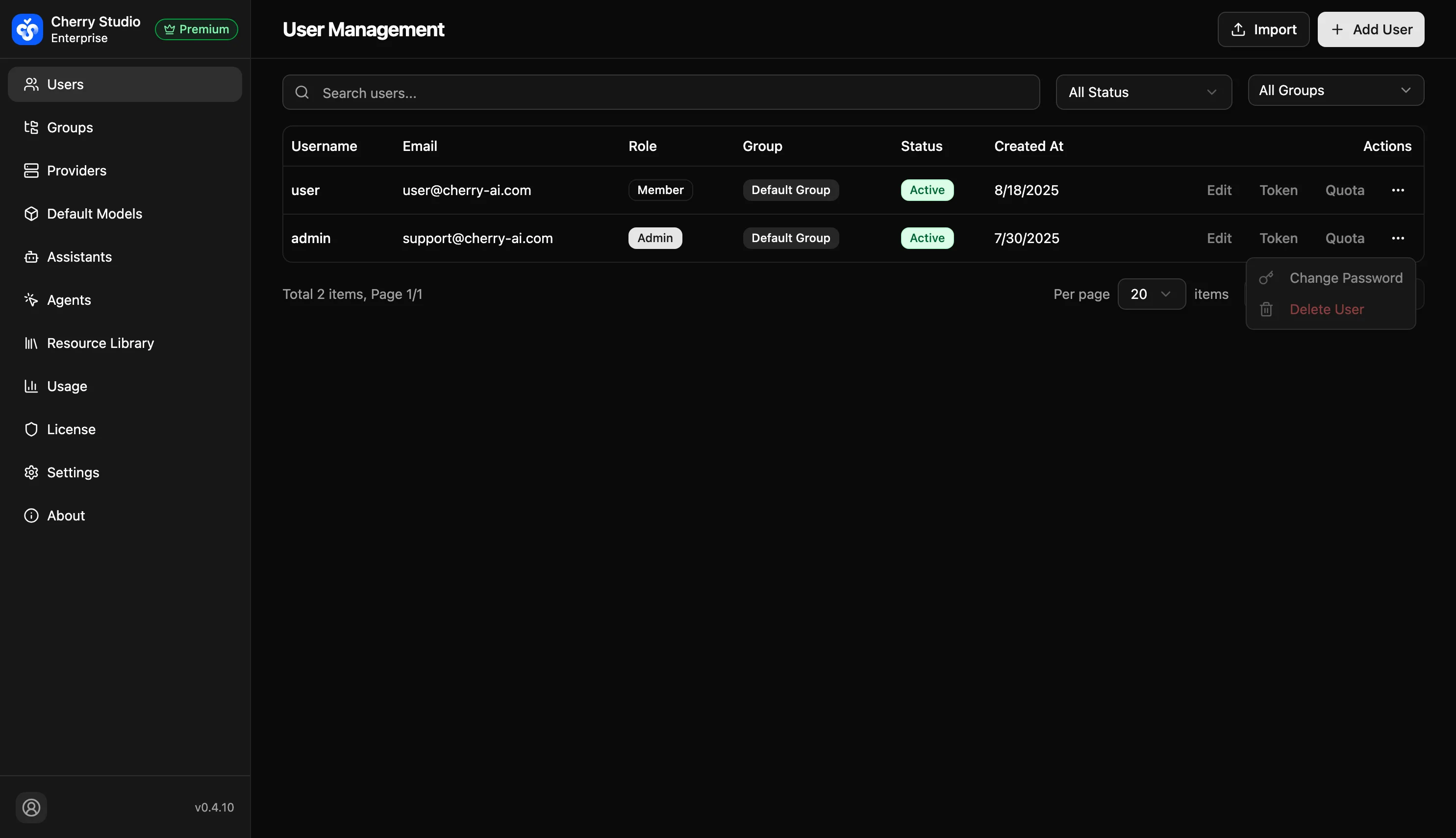
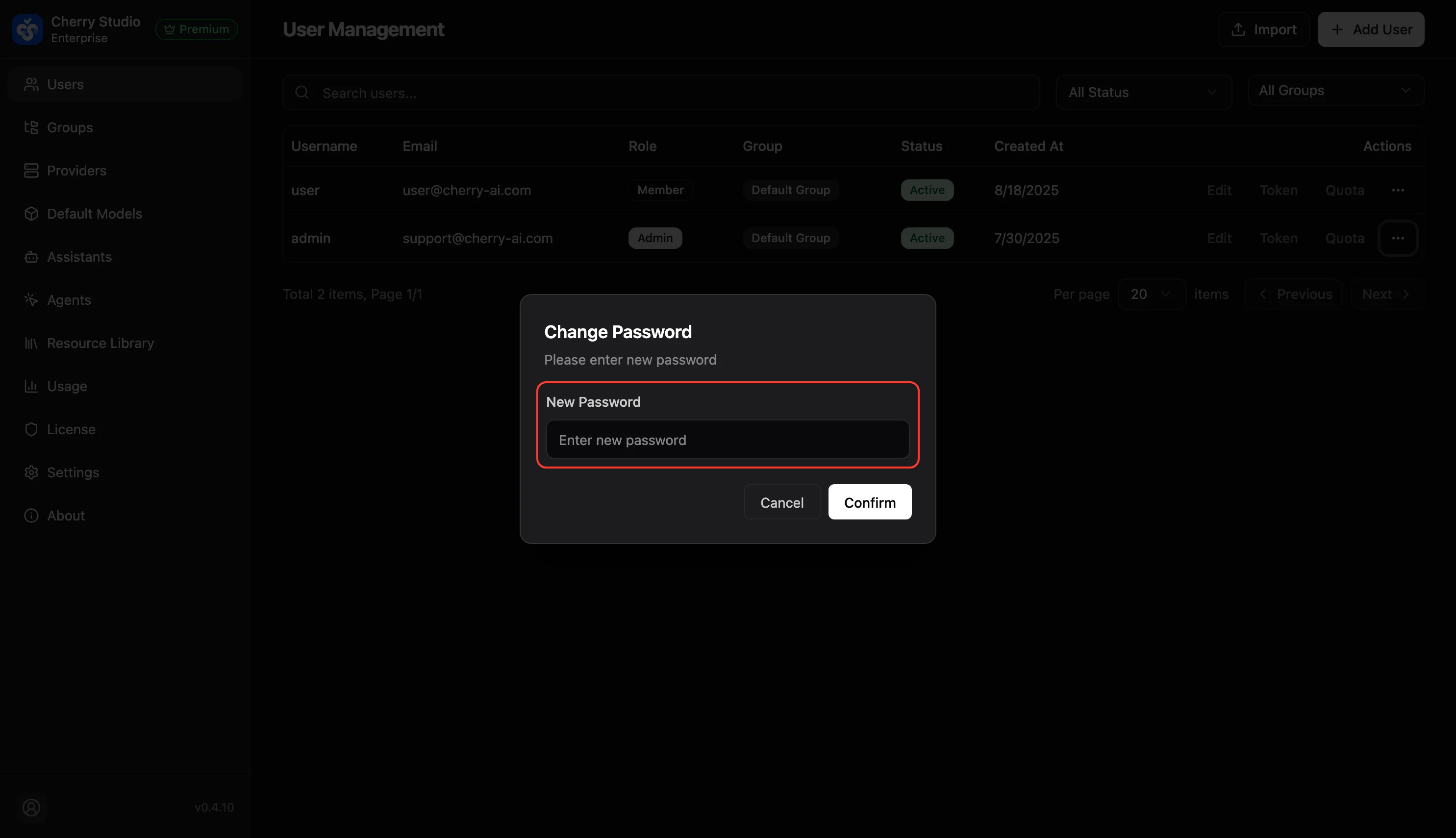
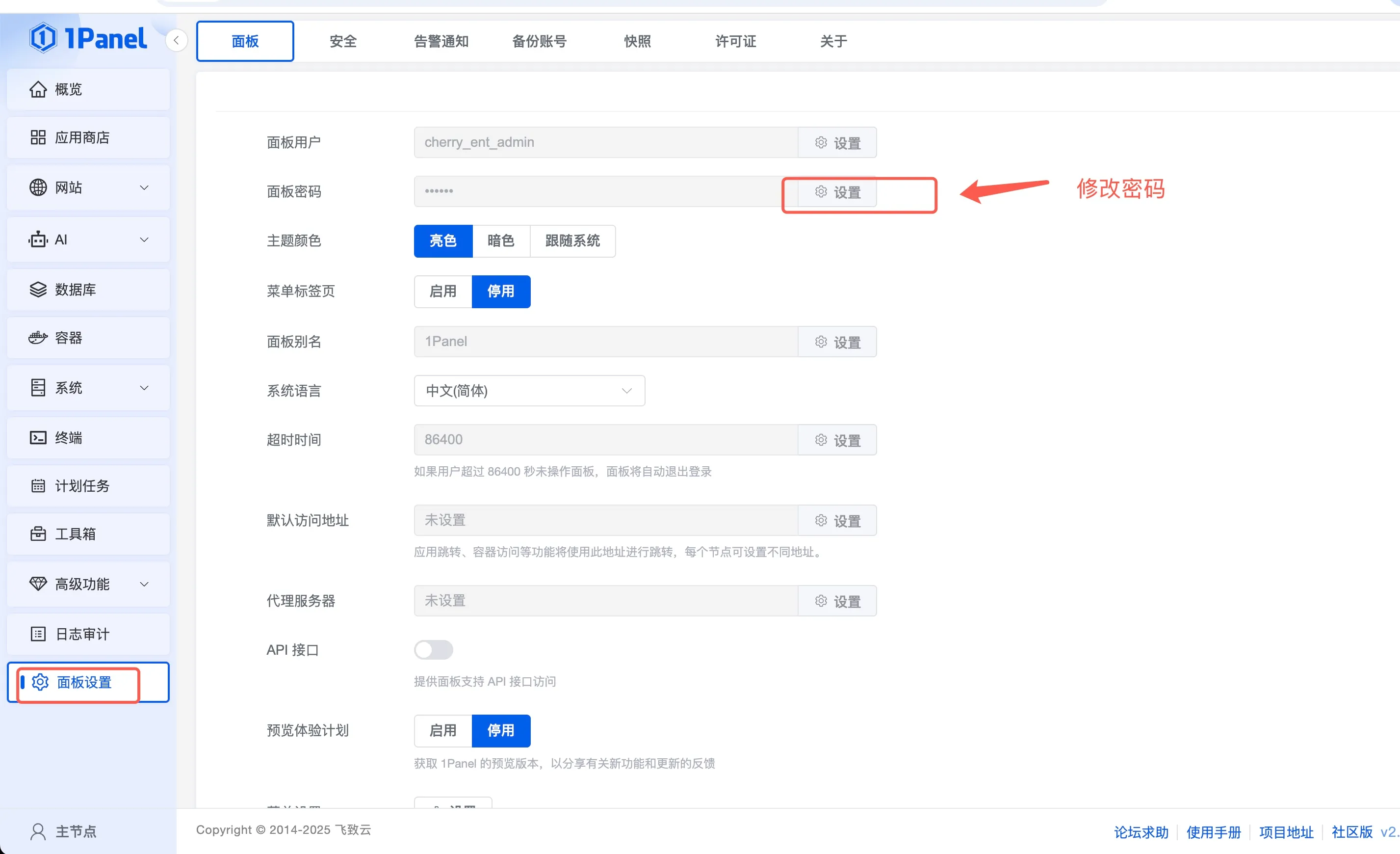
Step 6: Change the Default Password
Strongly recommended to change the default admin password after first login:
✅ Deployment Complete
Cherry Studio Enterprise has been successfully deployed. You can now:
- Configure AI providers and models
- Create users and role permissions
- Upload knowledge base documents
- Start using AI assistants
🔧 Advanced Configuration Reference
If you encounter network configuration issues or need server management, see the notes below:
Network Configuration
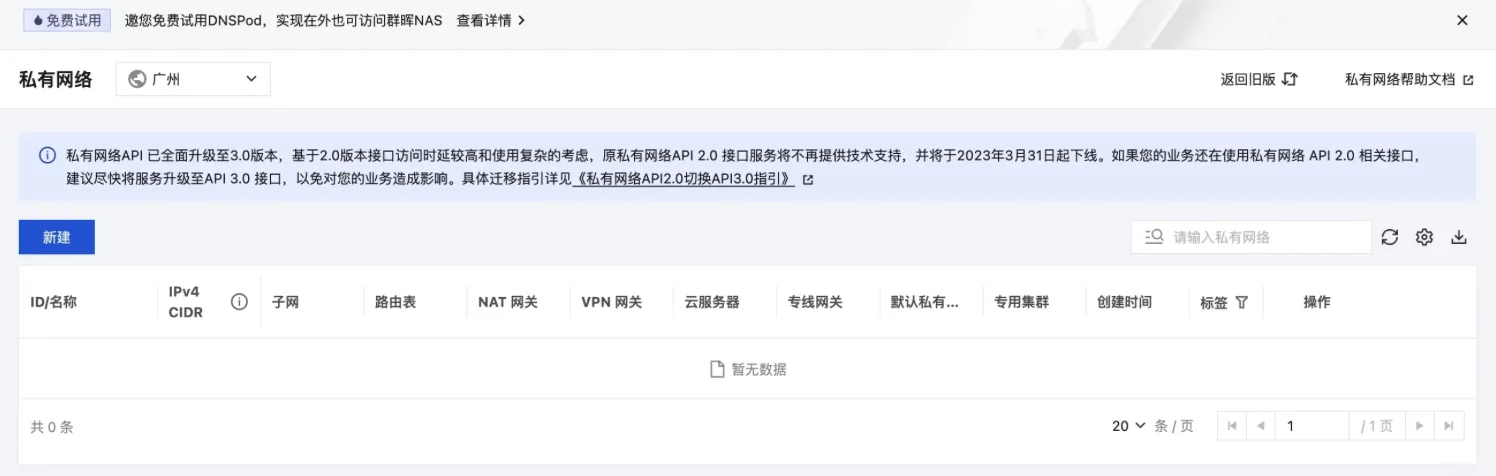
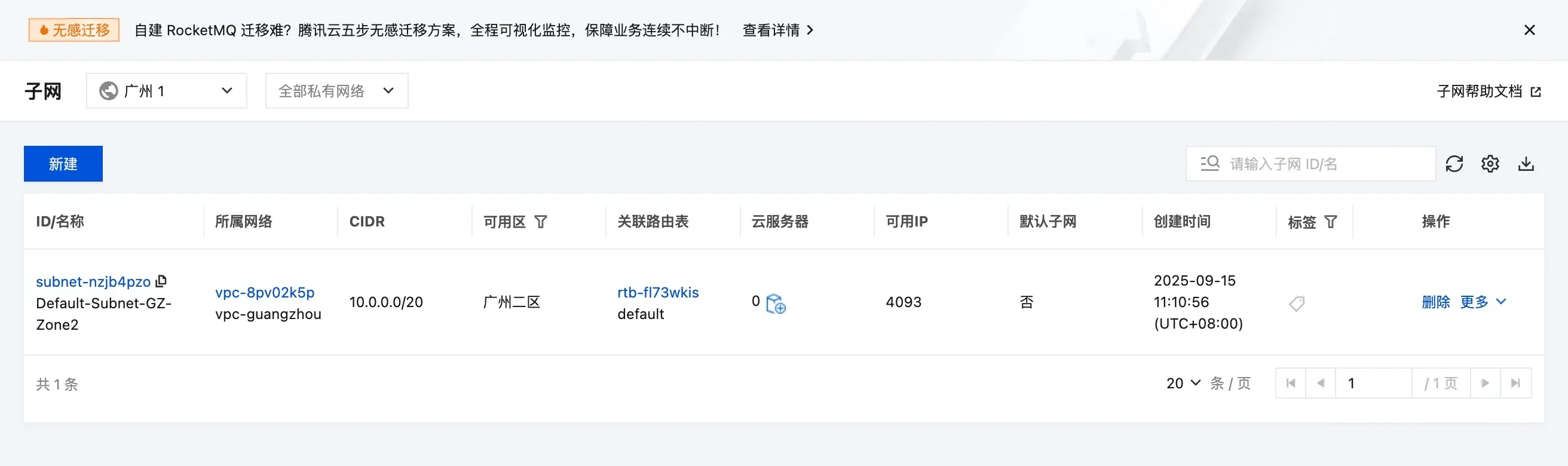
Create a New VPC
If you do not have a suitable private network, follow these steps to create one:
Security Group Configuration
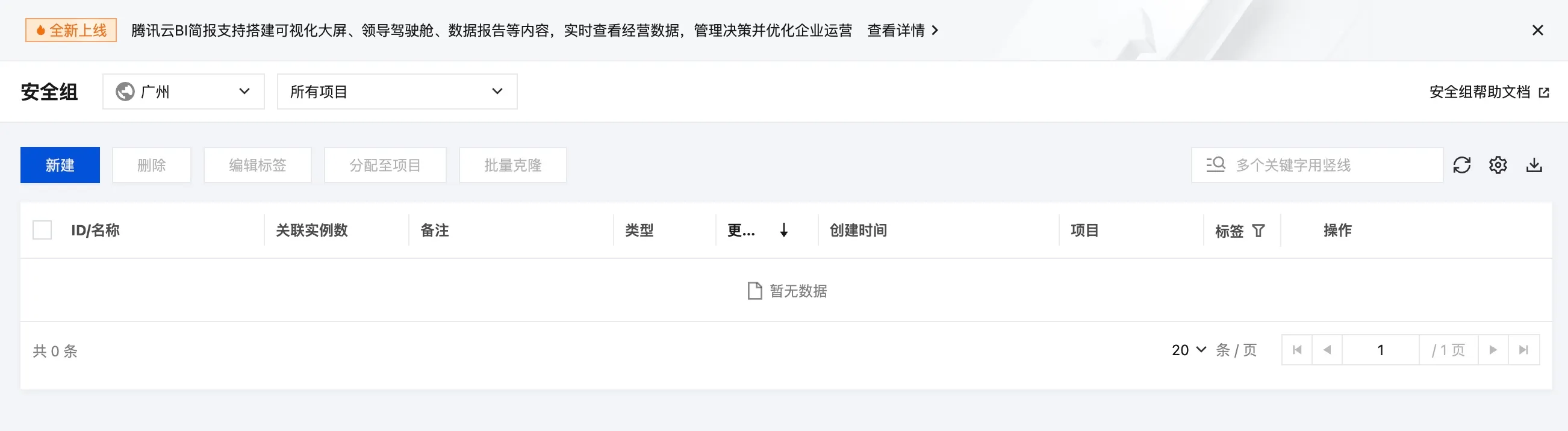
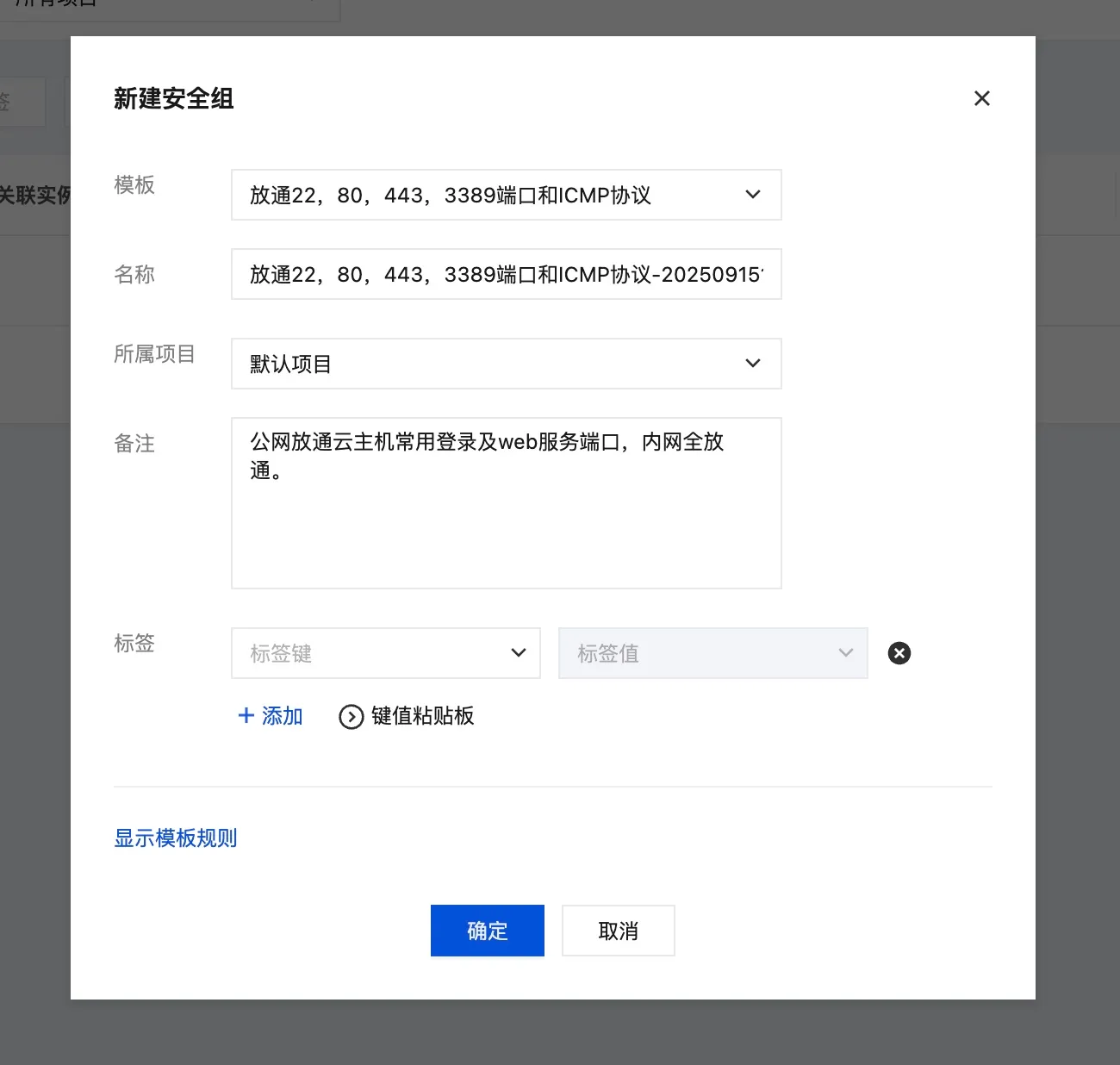
If you do not have a security group, you can use the following setup:
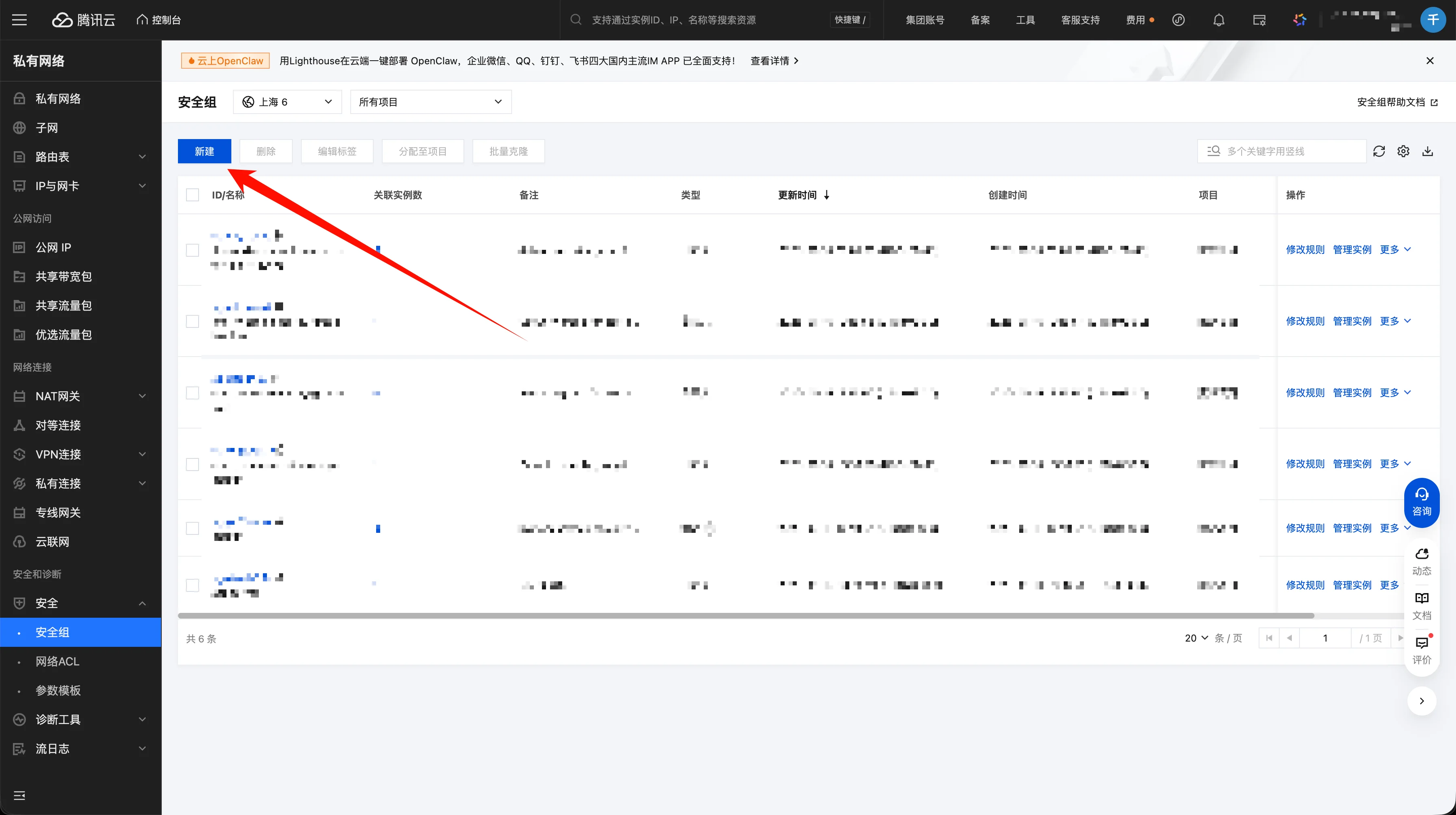
- Configure security groups in Security/Security Groups for your server region
- If you are unfamiliar with network configuration, ask a network engineer for assistance
Creation process:
Template reference:
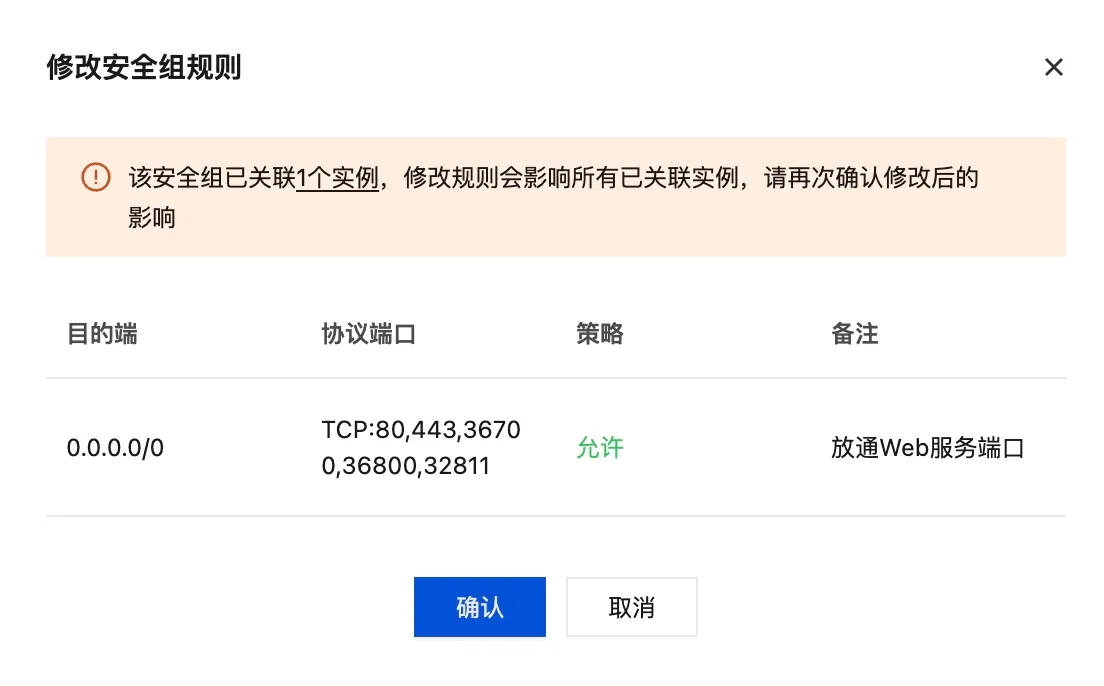
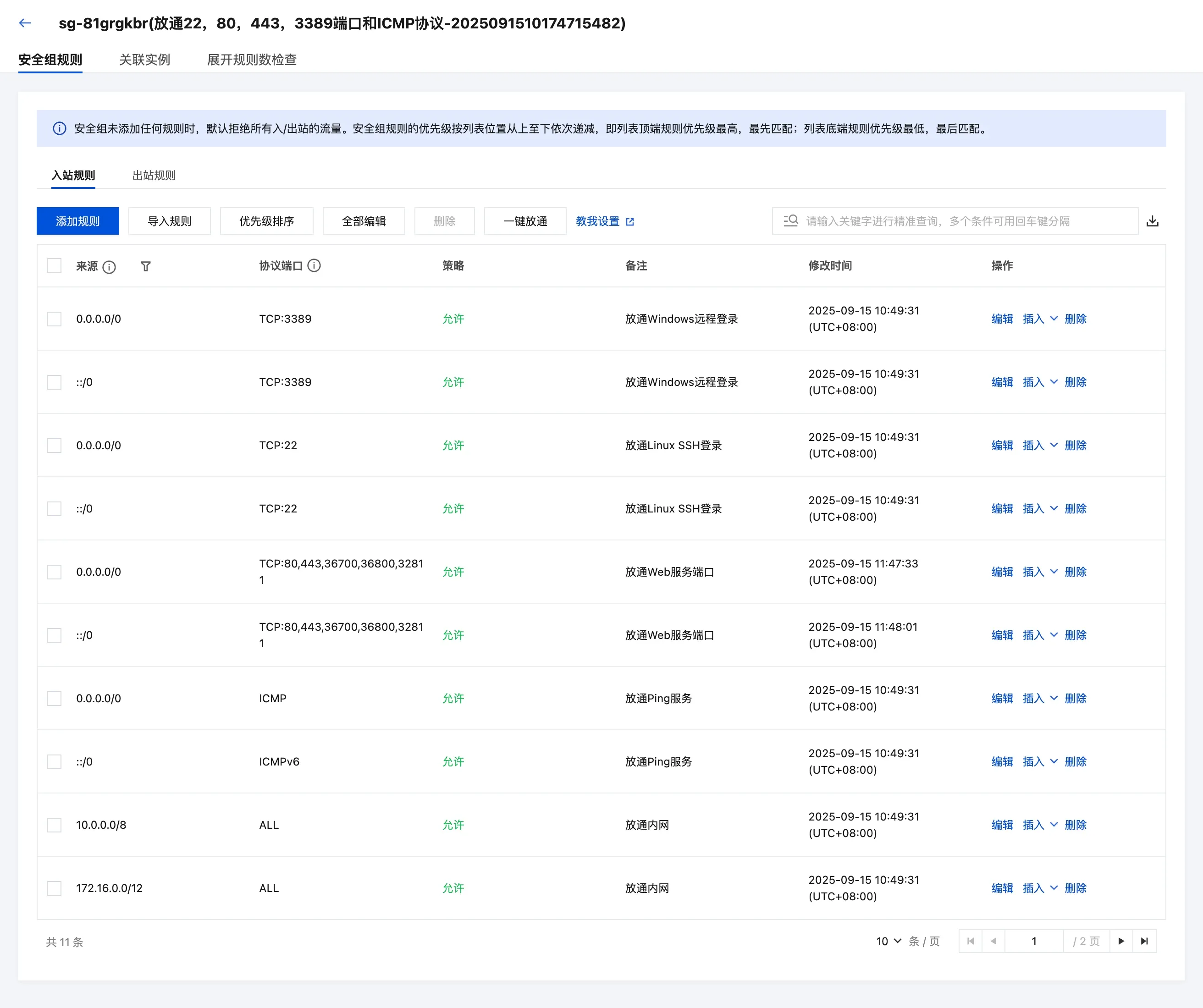
Important: Open the following ports and allow access from 0.0.0.0:
- 36700 (API service port)
- 36800 (Admin console port)
- 32811 (System management port)
After creating from the template, open the edit page to configure ports:
1Panel Server Management (Optional)
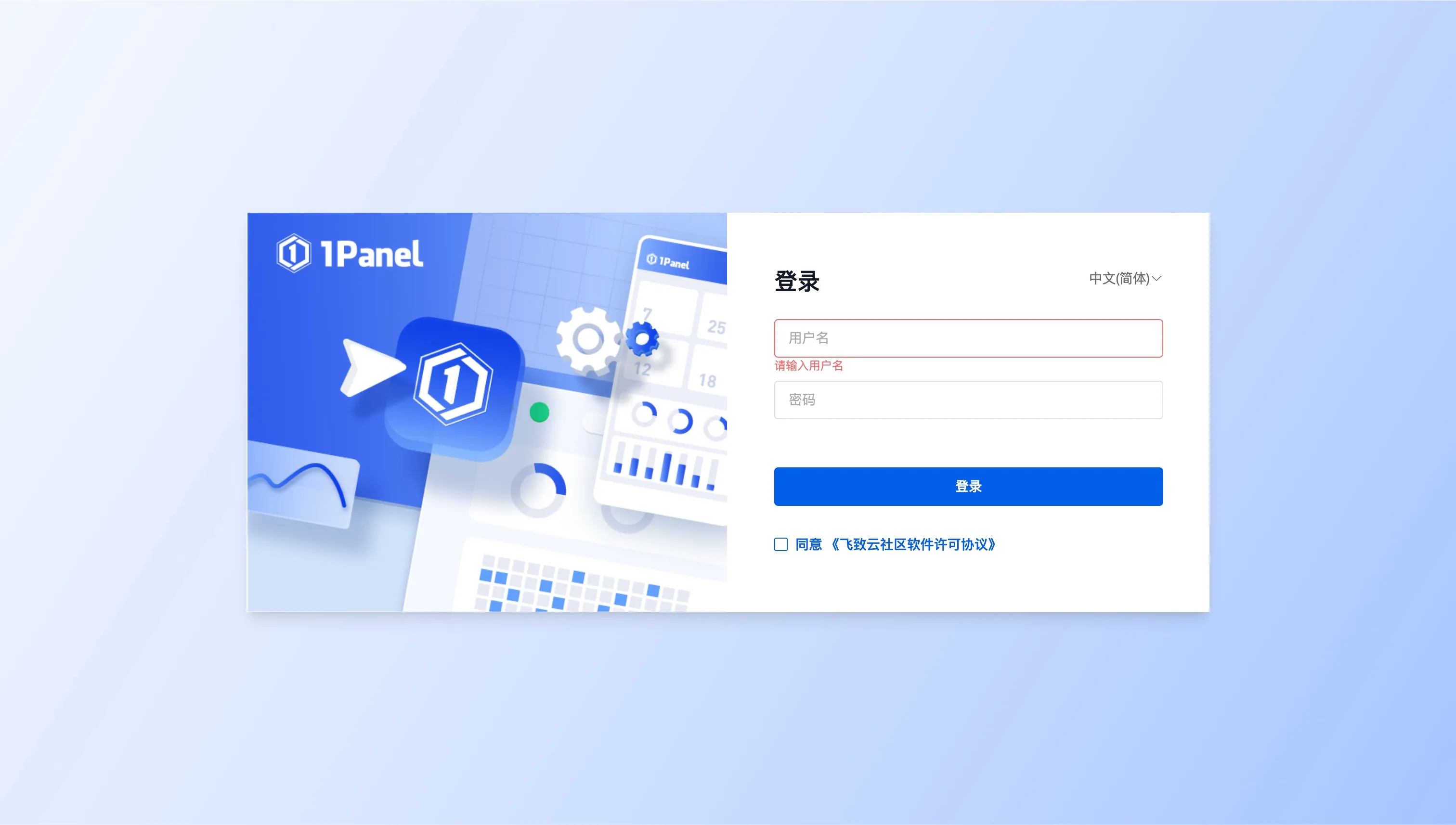
The system provides a 1Panel console for database and server management:
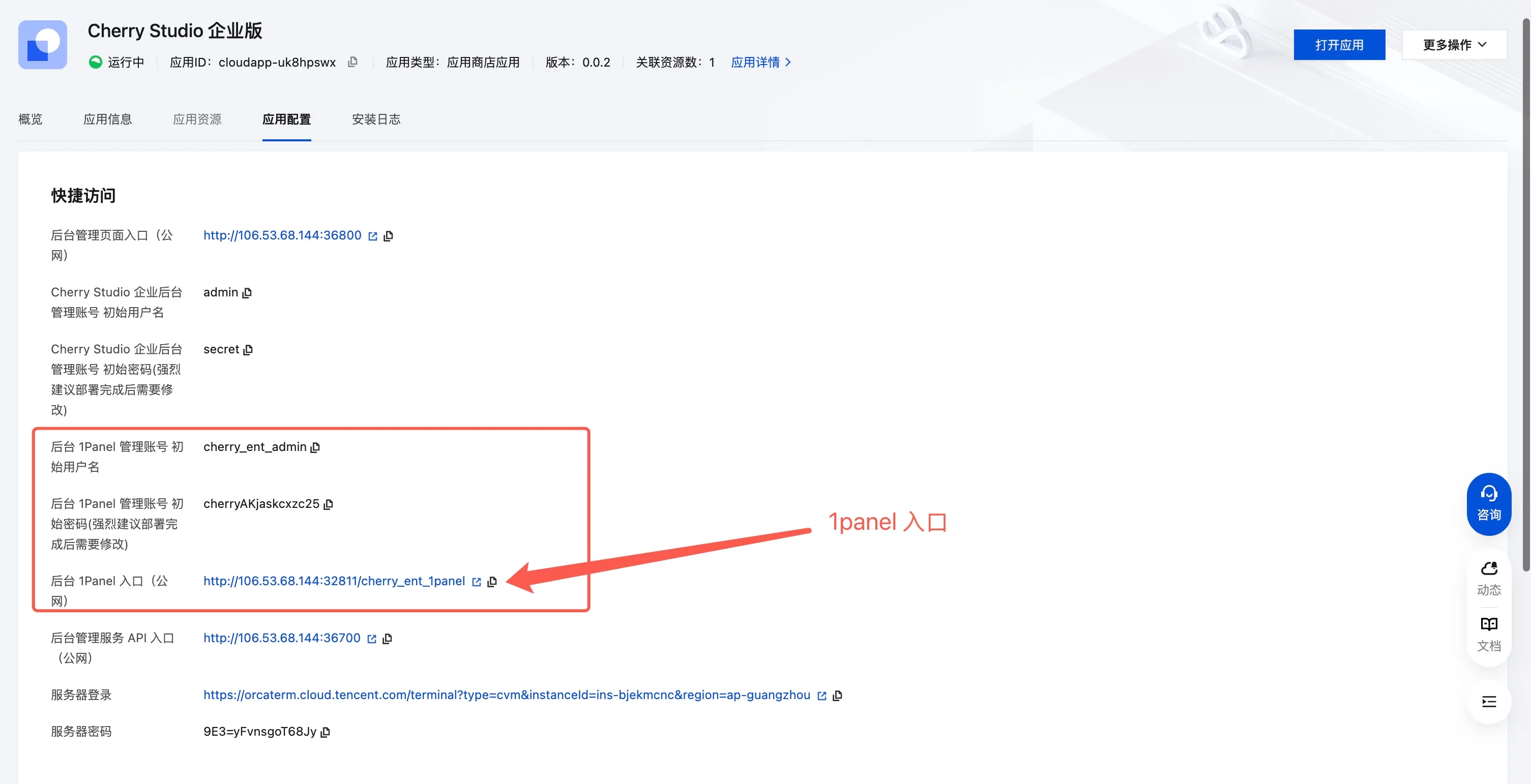
1Panel access entry:
Strongly recommended: change the default 1Panel password
❓ FAQ
Q: What if there is no machine list when selecting an availability zone?
A: Contact Tencent Cloud support to ask which zones have available resources. For example, Guangzhou 6/7 may have capacity while zone 2 may not. You can create a new VPC and subnet in a zone with available machines.
Q: What if I cannot access the service after deployment?
A: Check the following:
- Make sure the security group ports are correctly configured (36700, 36800, 32811)
- Check network connectivity
- Confirm you are using the correct access address and port
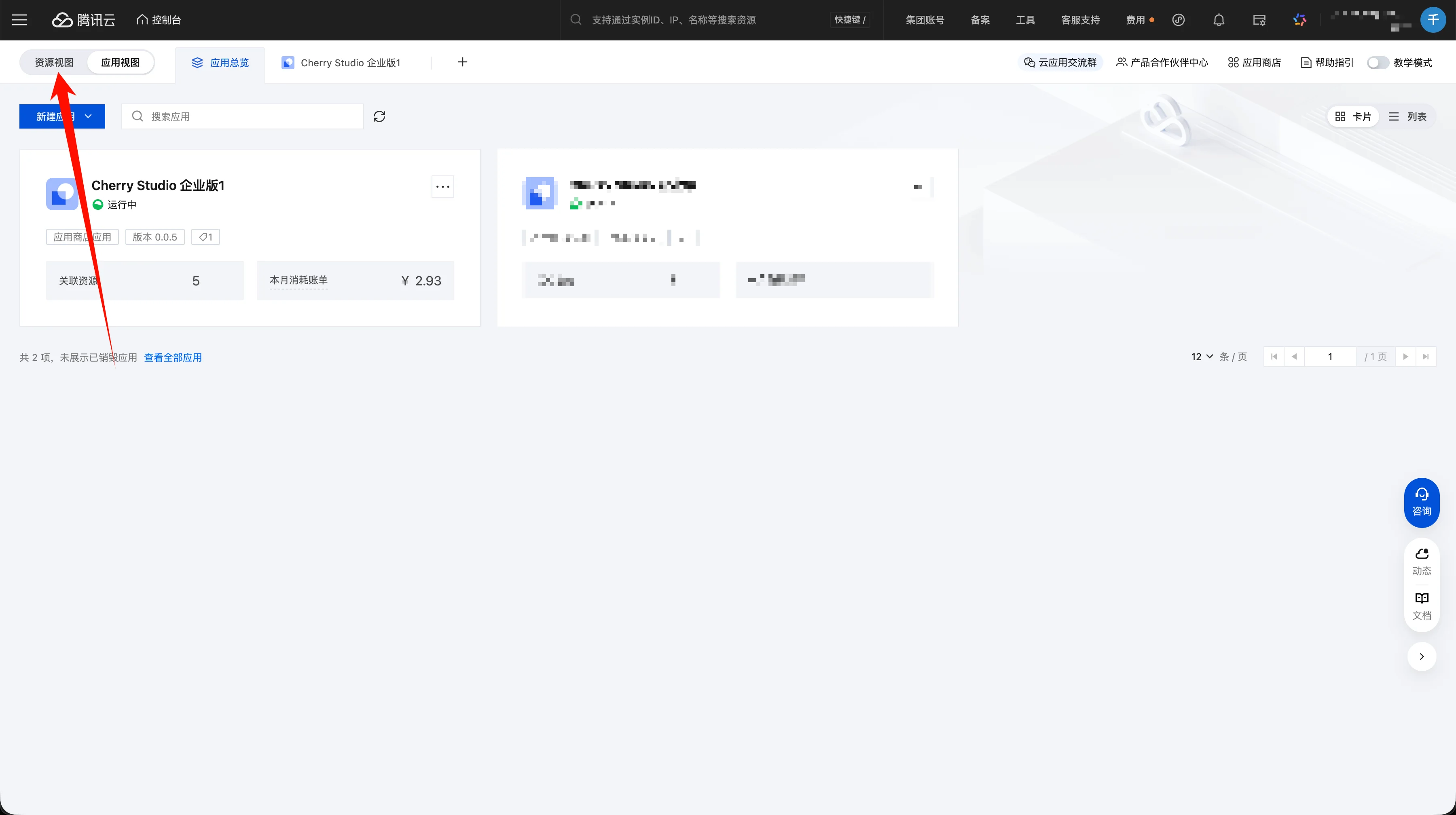
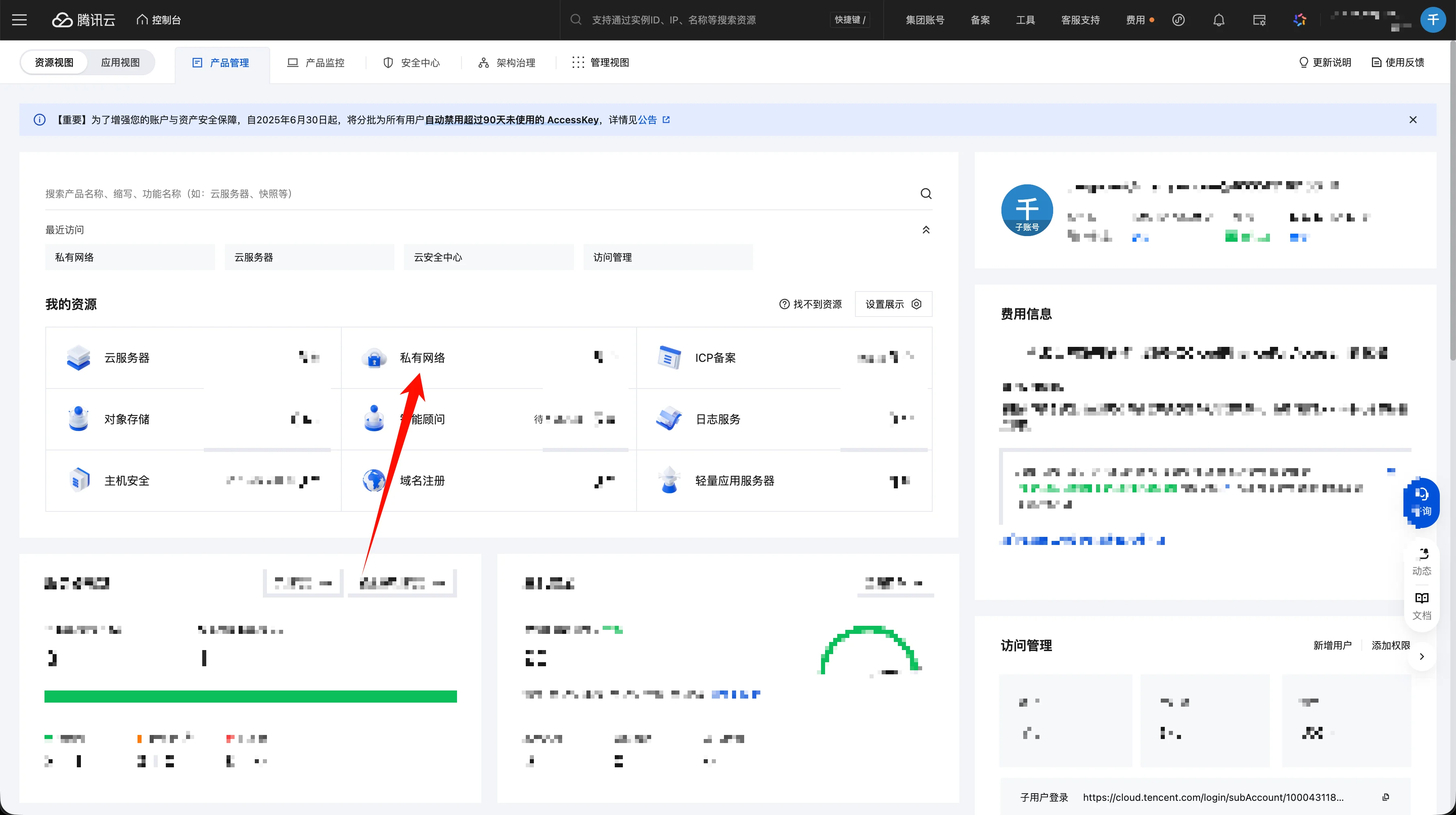
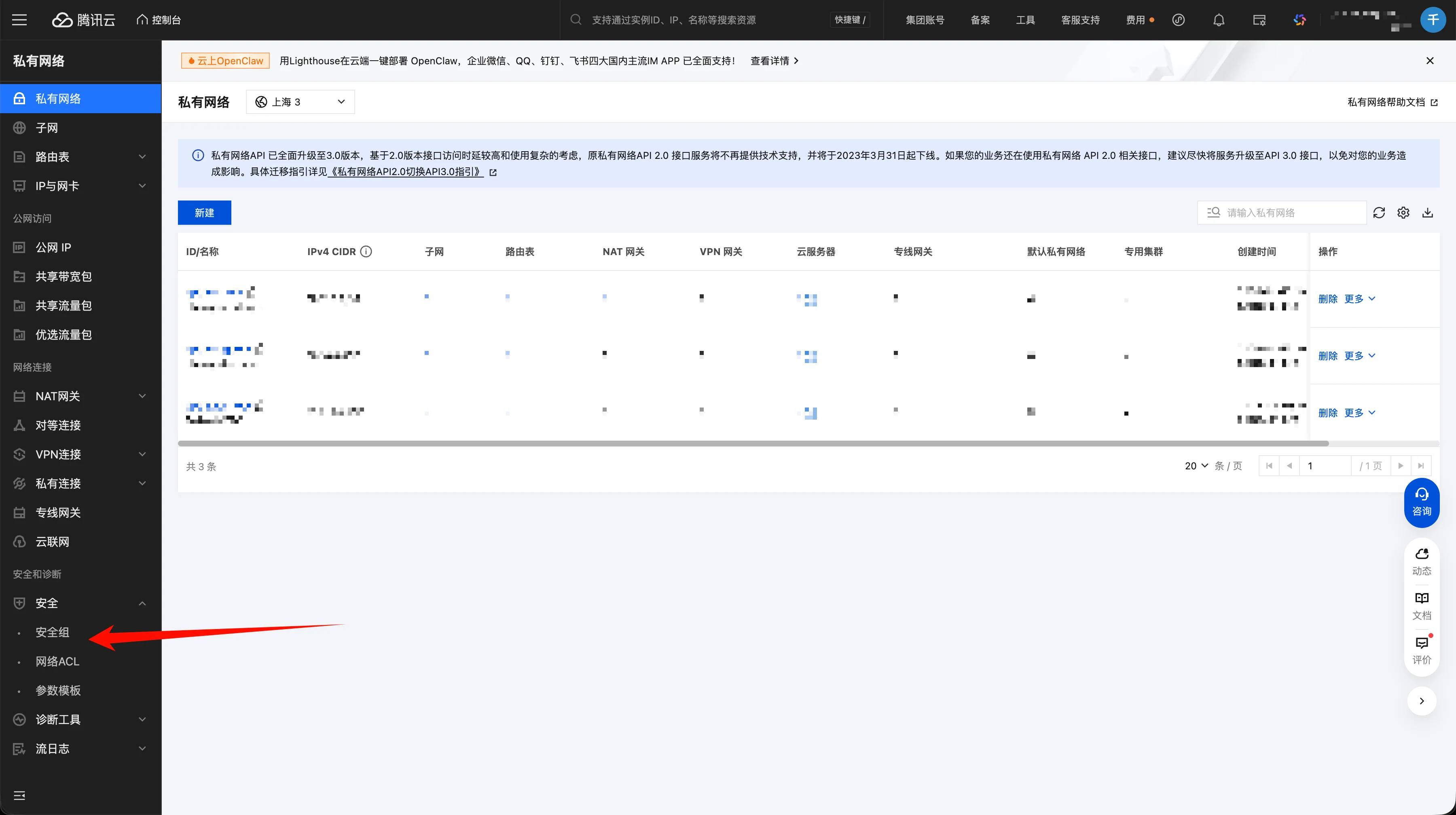
Q: How do I find the security group settings page?
Switch to "Resource View" in the console
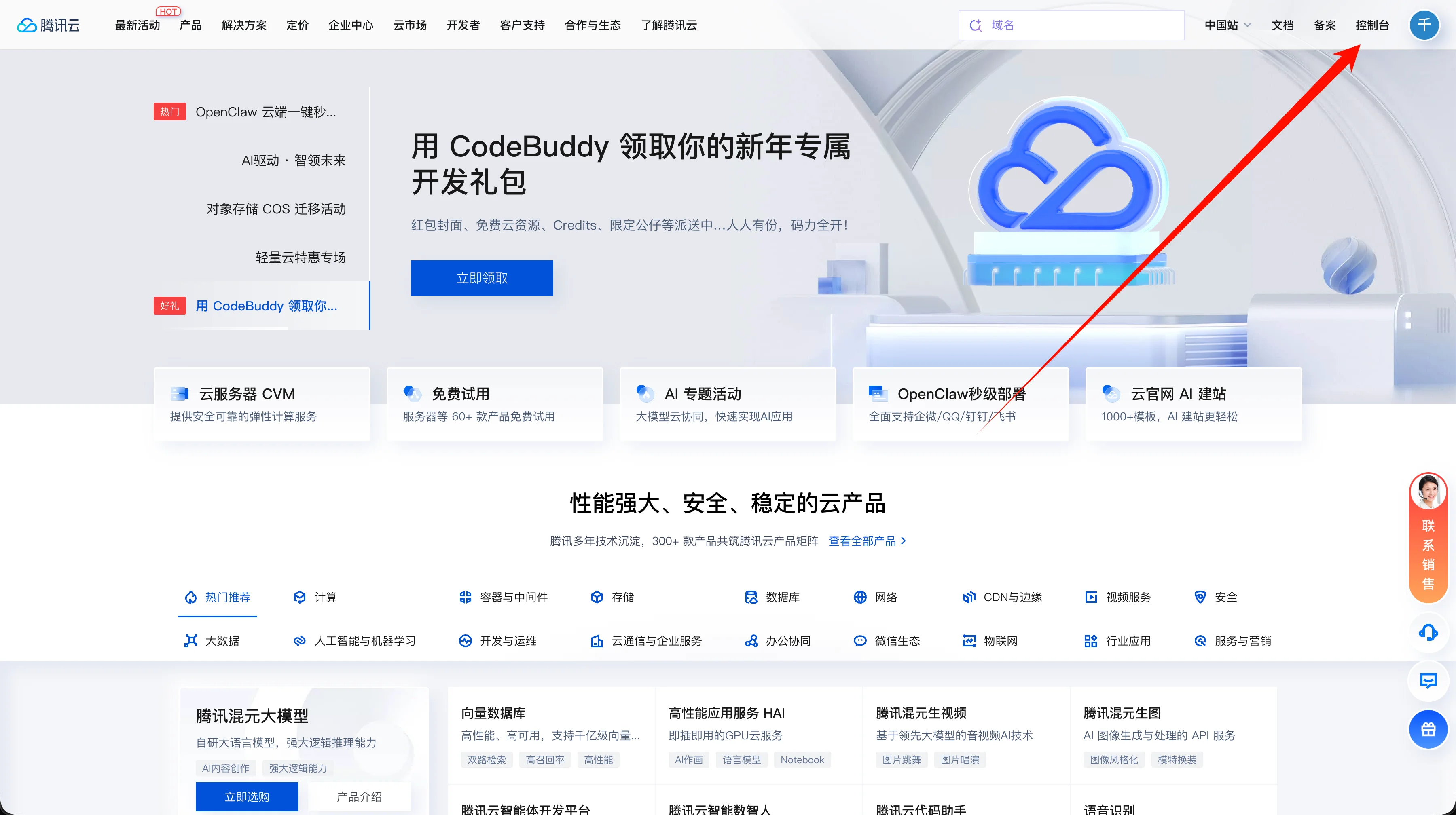
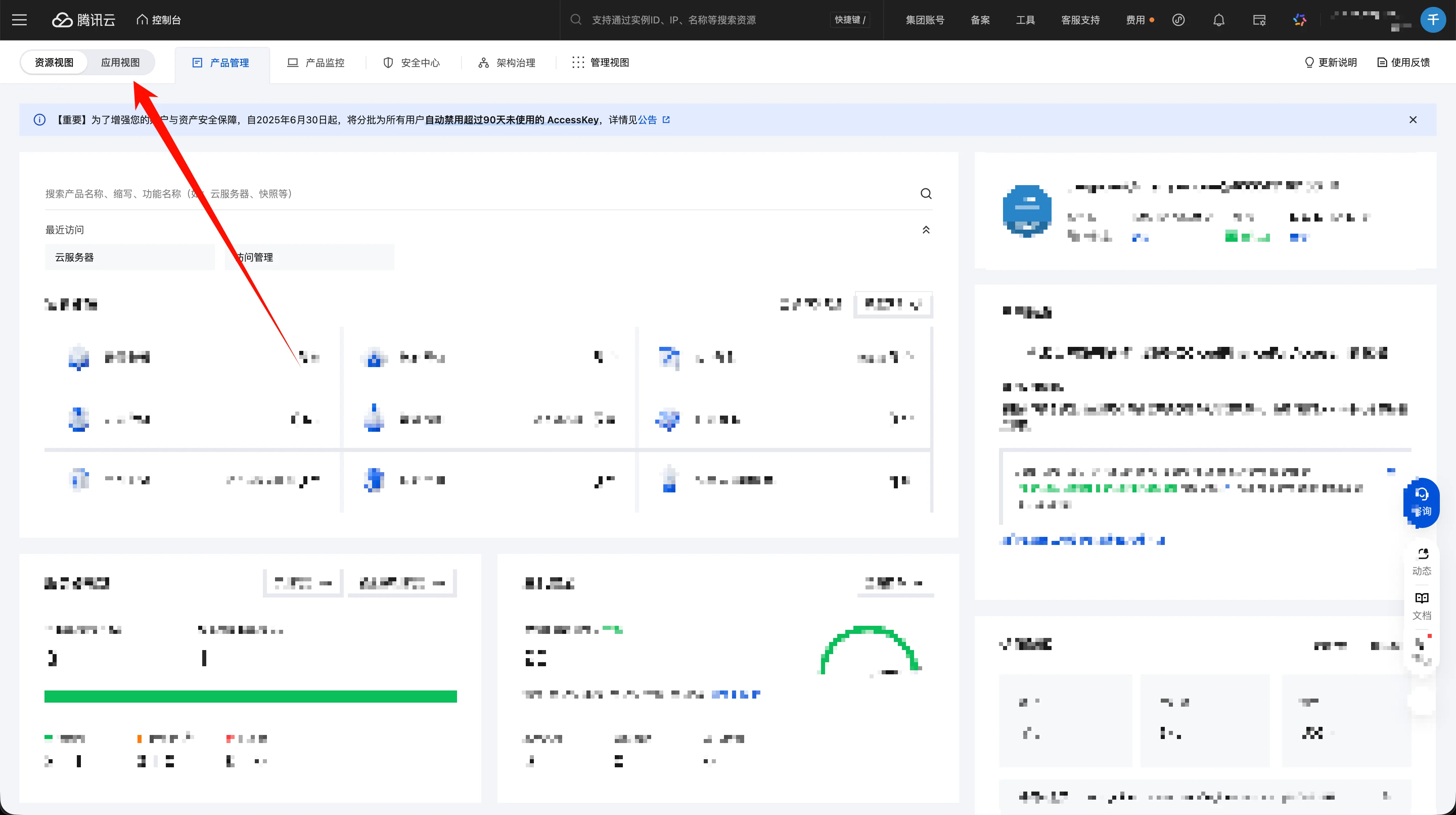
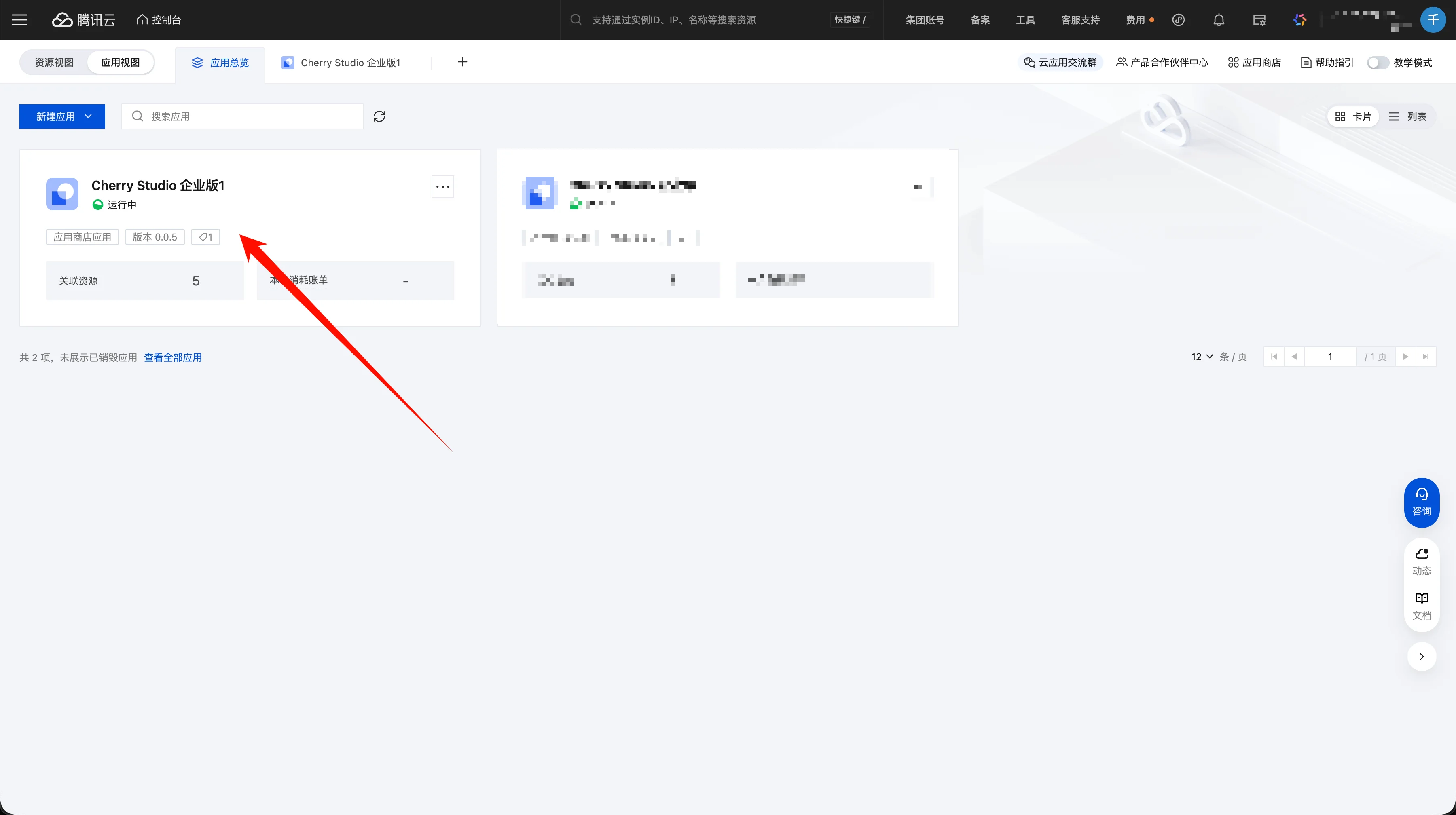
Q: What if I can't find the app after deployment?
Go to the Tencent Cloud website and click "Console"
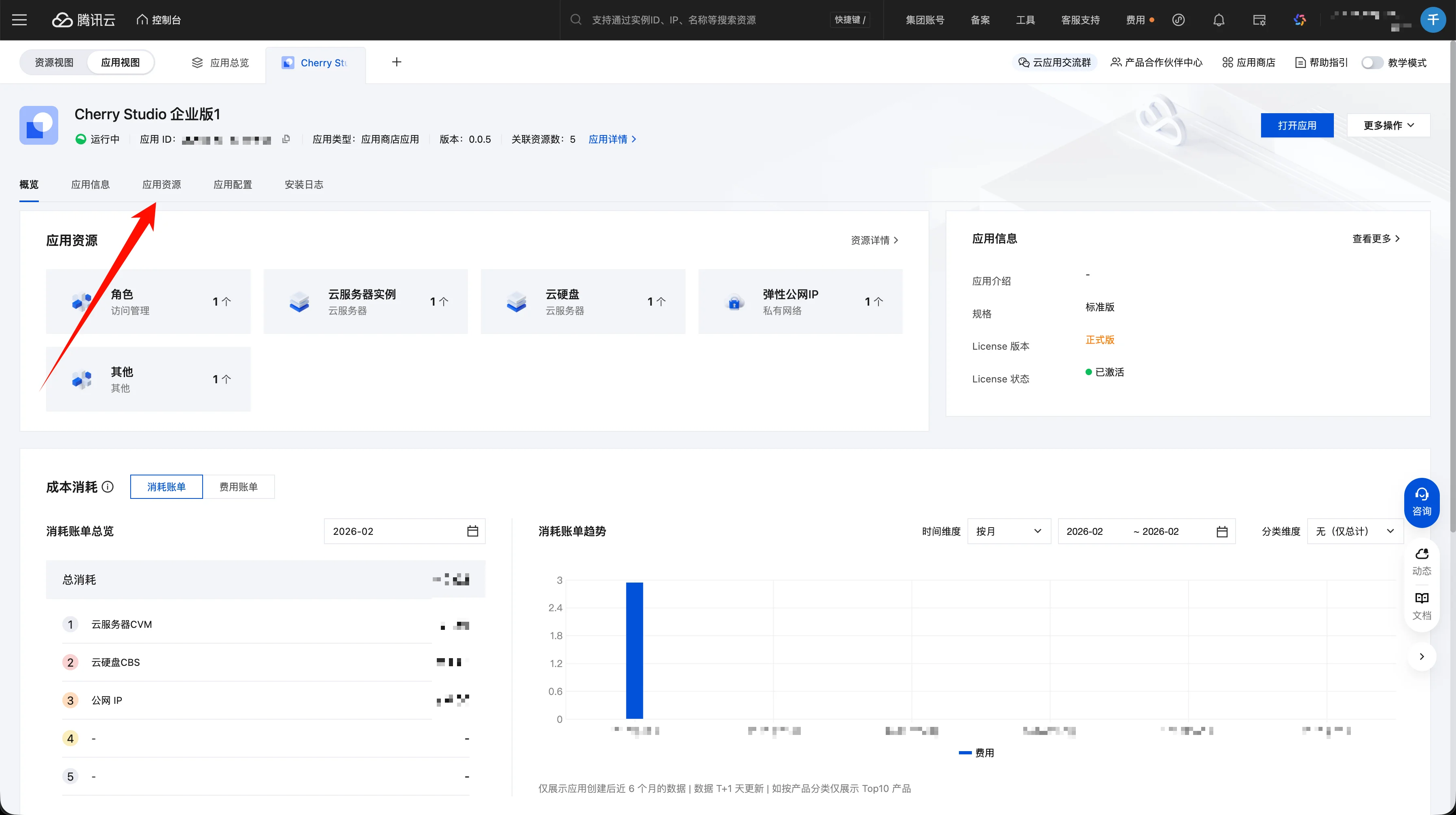
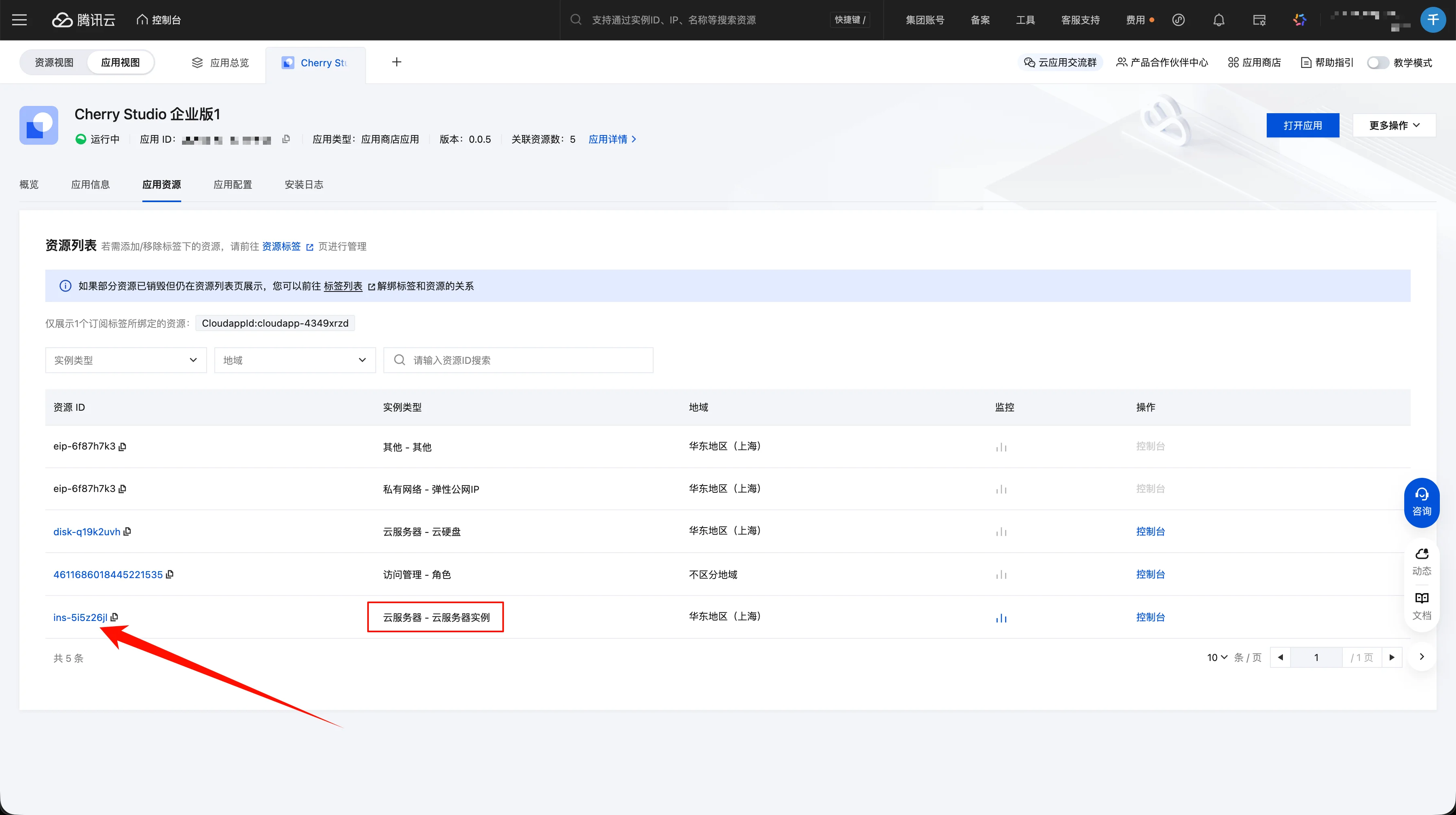
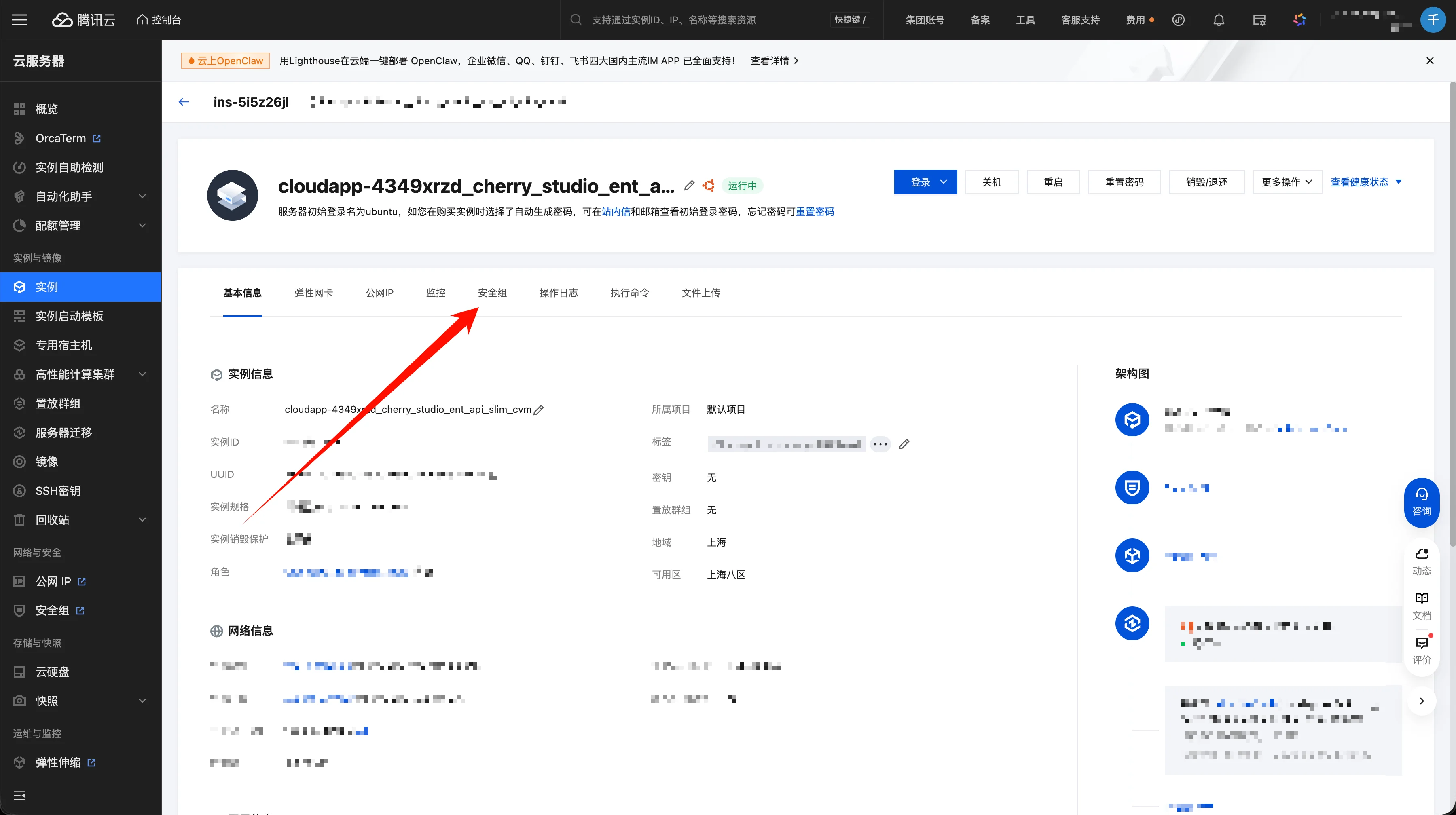
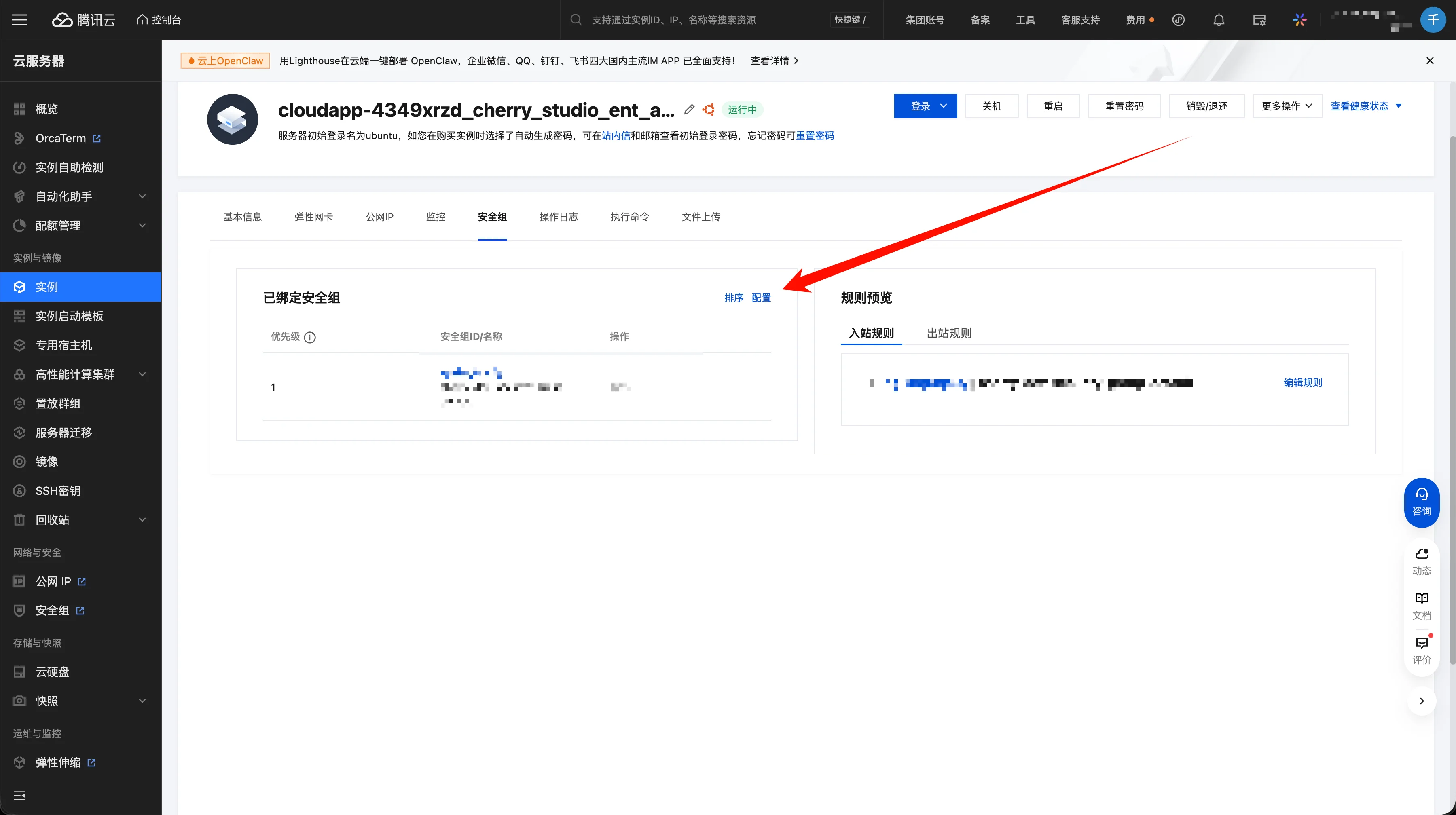
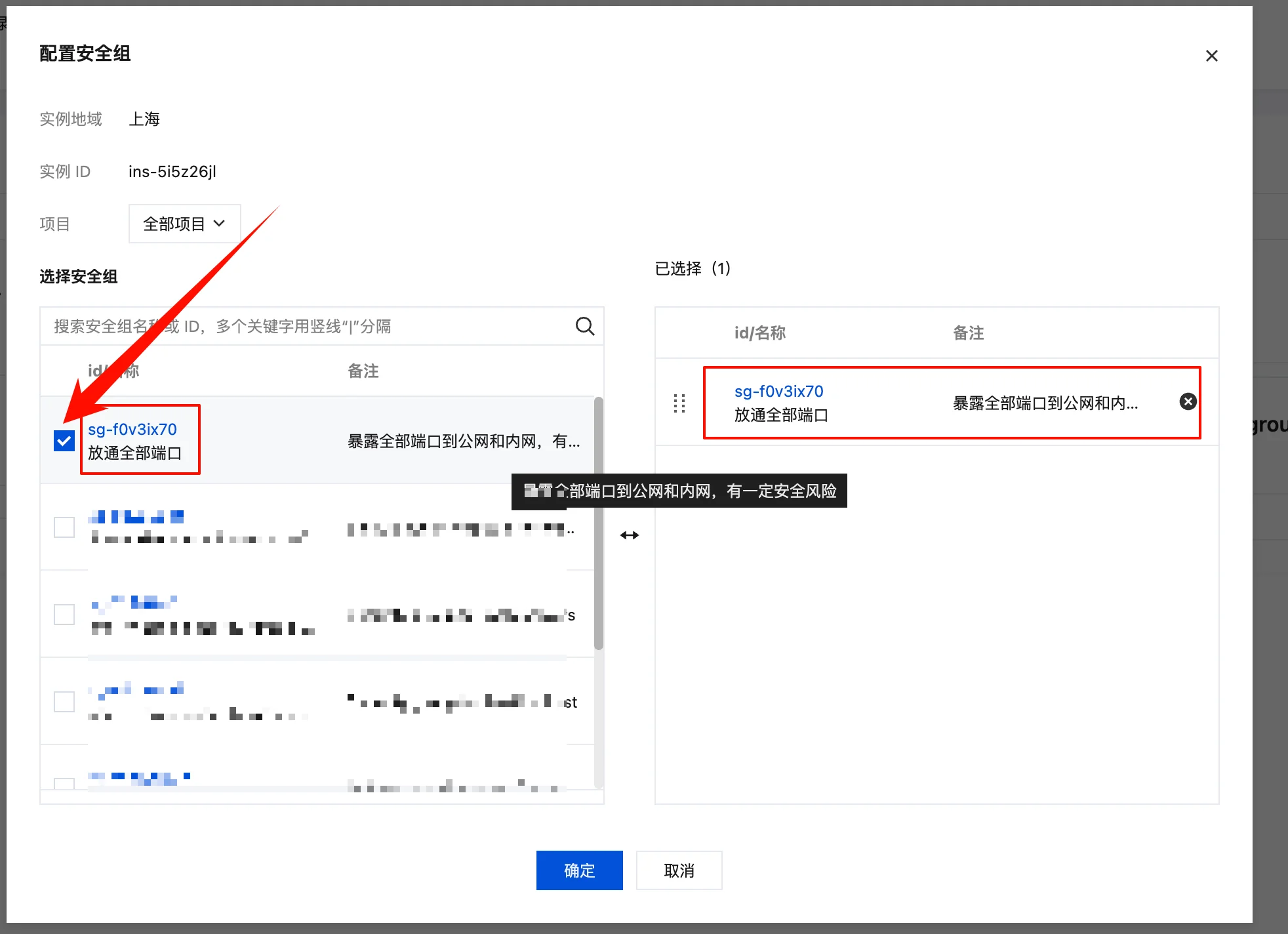
Q: How do I bind a security group to the app?
On the app details page, click the "App Resources" tab
Q: What if I forget the admin password?
A: You can reset it via 1Panel or contact technical support for help.
📞 Technical Support
If you need technical support, contact us:
- Website: Cherry Studio
- Email: support@cherry-ai.com