My Orders
View all orders associated with the current account.
In Account Center, click the My Orders tab to view all orders associated with the current account.
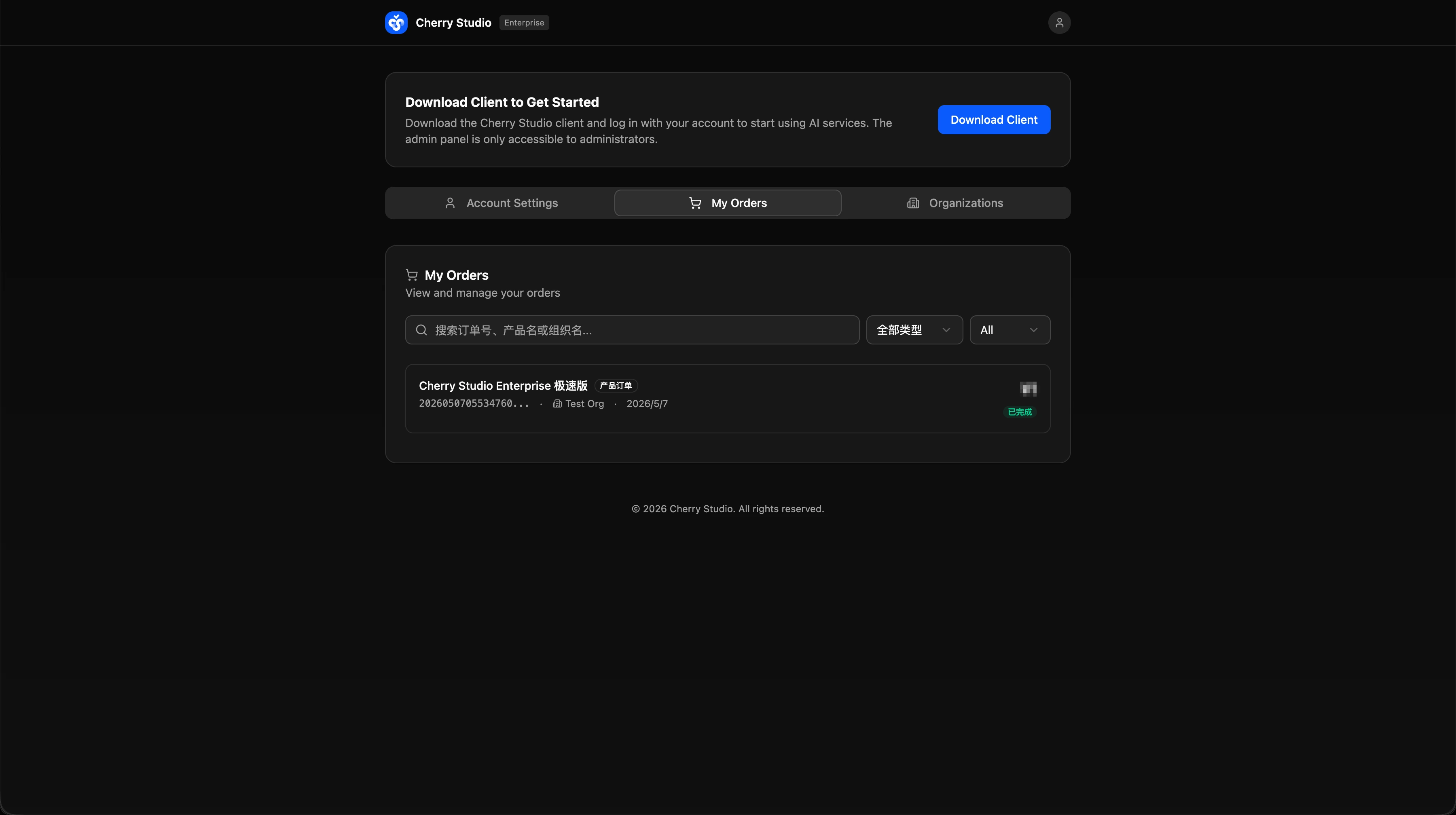
Column Reference
| Field | Description |
|---|---|
| Product Name | The purchased product, such as "Cherry Studio Enterprise Express" or "Token Top-up". |
| Order Number | A unique order ID generated by the system. |
| Linked Organization | The organization the order belongs to. |
| Created At | The date the order was created. |
| Amount | The order amount. |
| Status | The current order status (Completed / Pending Payment / Closed, etc.). |
Search & Filter
- Search box — search by order number, product name, or organization name.
- Type filter — filter by product type (All Types, Plan, Token Top-up, etc.).
- Status filter — filter by order status.
The admin-side "Order Management" (sidebar entry) lets administrators view and manage all orders for the entire organization. "My Orders" in Account Center only shows orders associated with the currently signed-in account.