Agent Skills
Reusable capability modules in the Resource Library designed for agents. Add manually or download from the marketplace, then bind to agents during creation/editing. Access is controlled by group.
Navigation: Sidebar → Resource Library → Agent Skills (first tab)
Prerequisites: Agent skills execute scripts locally on the client host. The required runtimes must be preinstalled: Python, Node.js, and additionally Git for Windows (includes Git Bash) on Windows. Without them, skill invocations will fail to start. See download links in Client → Runtime Dependencies.
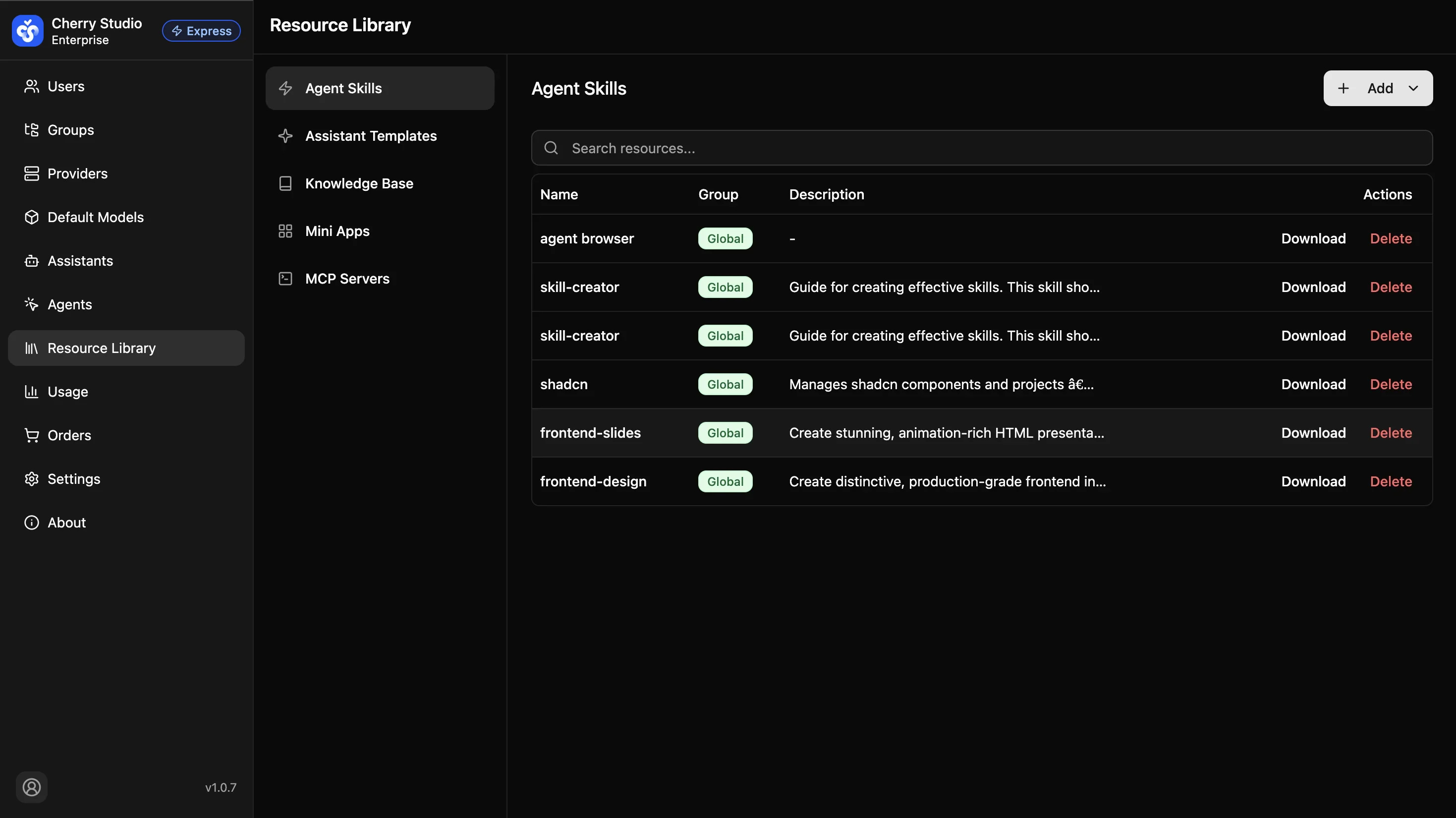
Skills List
The skills list displays all added agent skills with the following information:
| Field | Description |
|---|---|
| Name | The skill's identifier name. |
| Group | The group the skill belongs to, determining which user groups can access it. |
| Description | A description of the skill's functionality. |
| Actions | Download (export skill configuration file) and Delete (remove skill from the list). |
Use the search box to quickly find skills by name.
Adding Skills
Click the Add button in the top-right corner. Two methods are available:
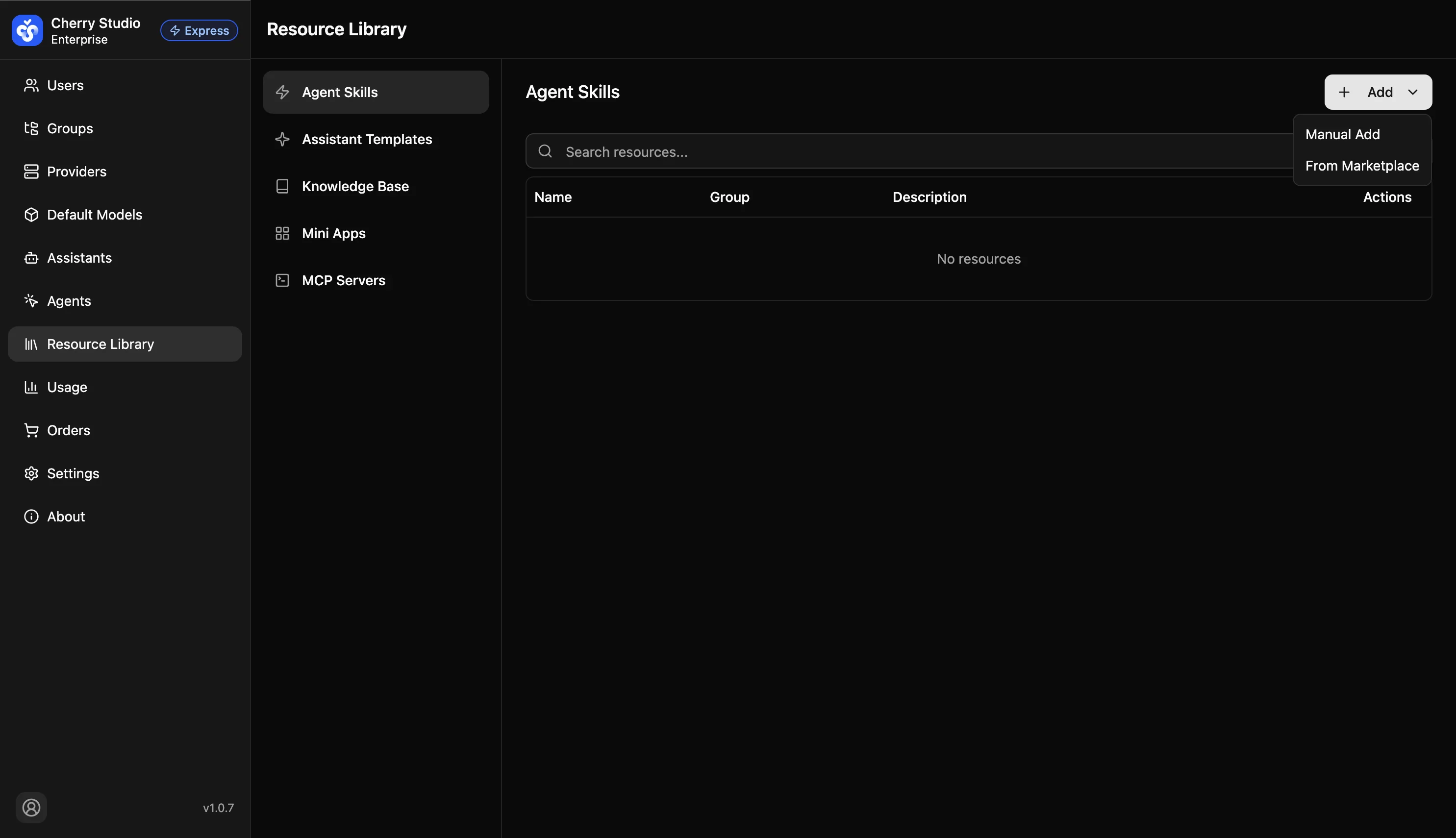
Manual Upload
For custom enterprise-built or third-party skills.
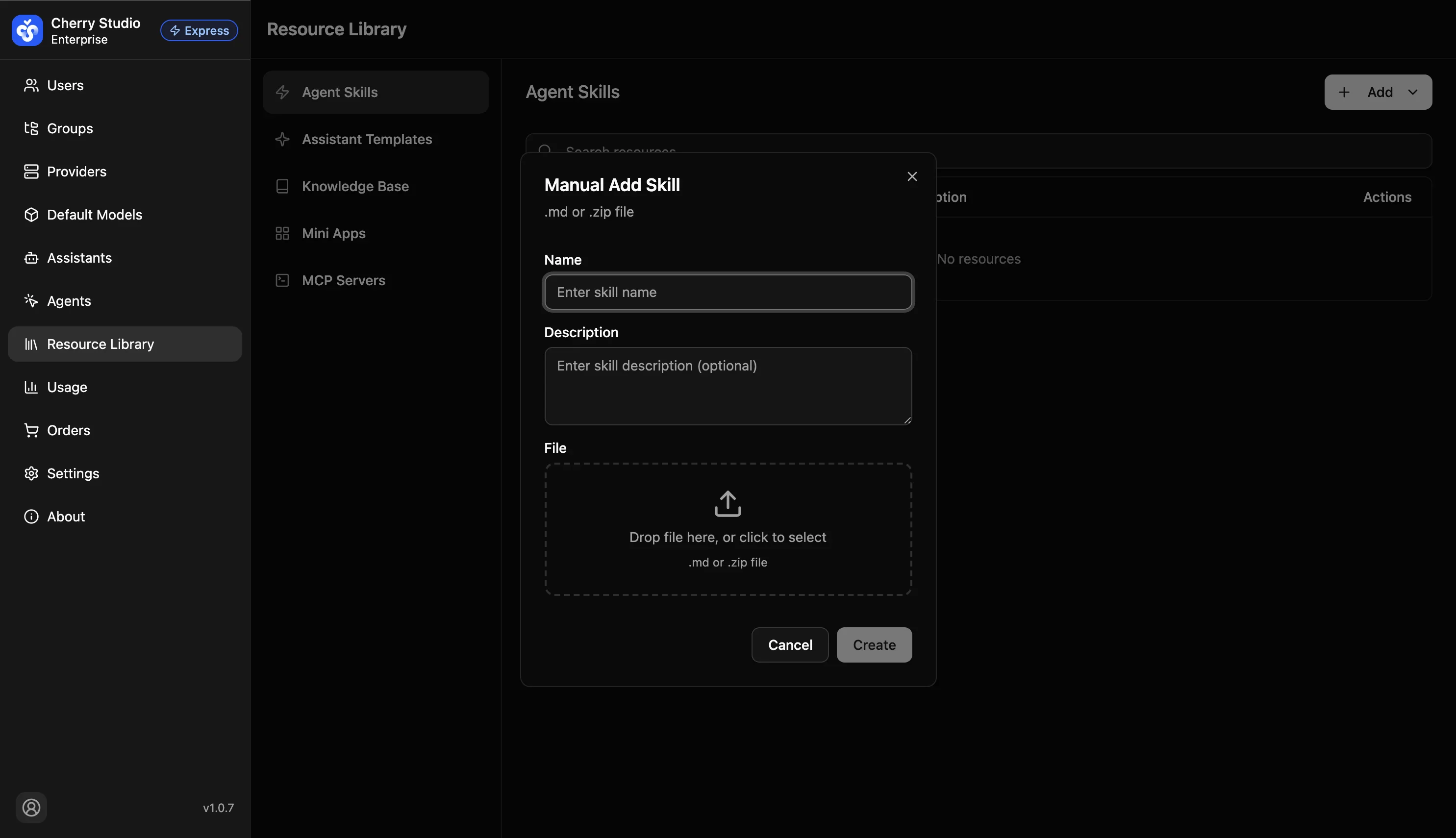
Steps:
- Enter the skill Name (required).
- Enter a Description (optional) to briefly explain the skill's purpose.
- Upload a skill File (
.mdor.zipformat supported). Drag and drop or click to select. - Click Create to finish adding the skill.
Download from Marketplace
Opens the skill marketplace browser where you can browse and download pre-built skills from the community.
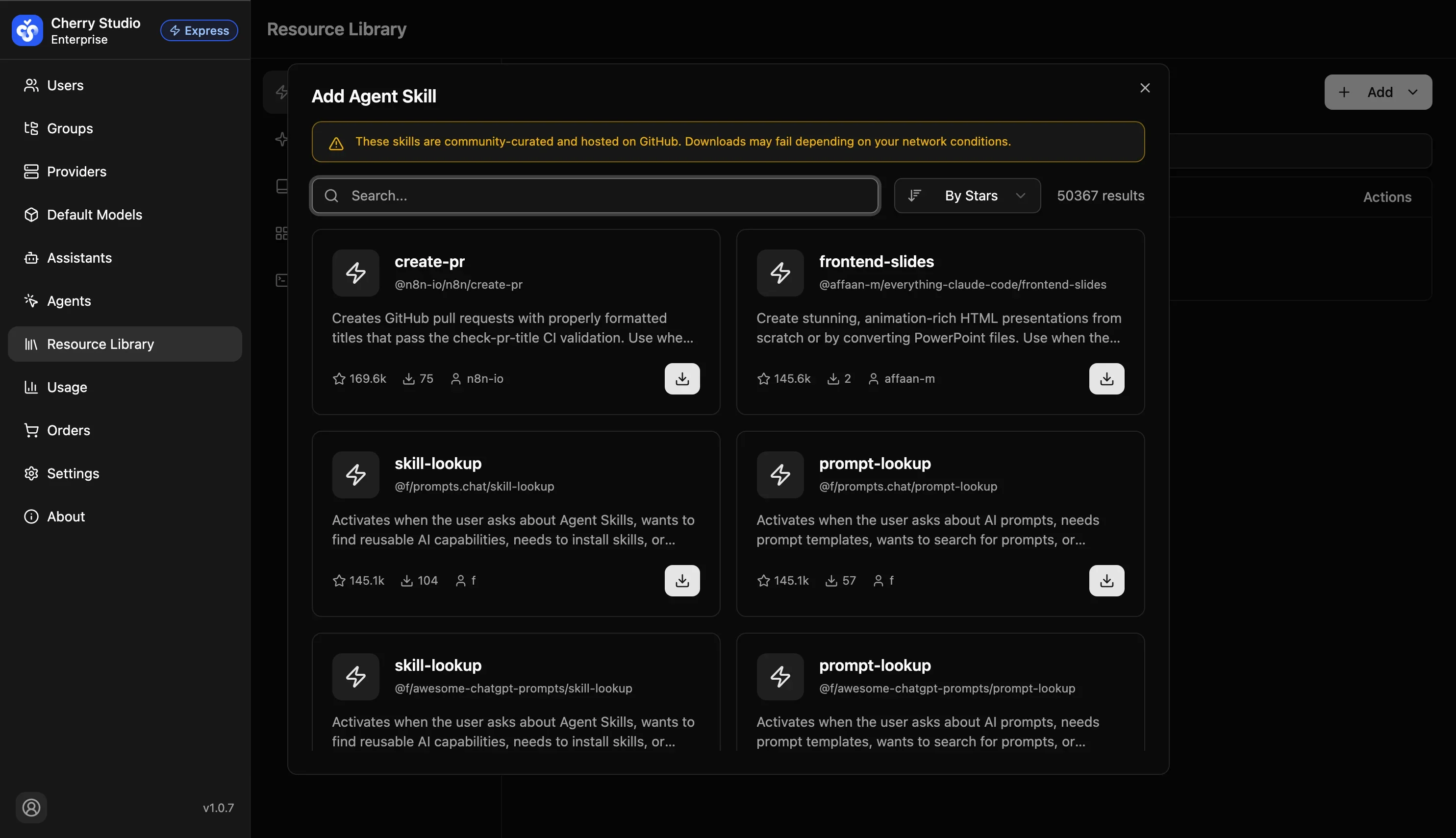
Steps:
- Use the search box to find skills by keyword.
- Sort by criteria (e.g., by stars) to find popular skills.
- Browse skill cards to view name, source, description, and star count.
- Click the download button on the bottom-right of a skill card to add it to your resource library.
Marketplace skills are community-curated and hosted on GitHub. Downloads may fail depending on your network conditions.
Workflow: Add skills in Resource Library → Enable skills in the agent's "Skills" tab → The agent can now use the skill's capabilities at runtime.
Create and Configure Agents
Create agents through 7 configuration tabs covering quick setup, model selection, permission control, skill binding, and MCP tool integration.
Mini Program Management
Integrate external AI tools, internal enterprise systems, or web services into the client sidebar to build a one-stop AI workspace.