Assistant List Management
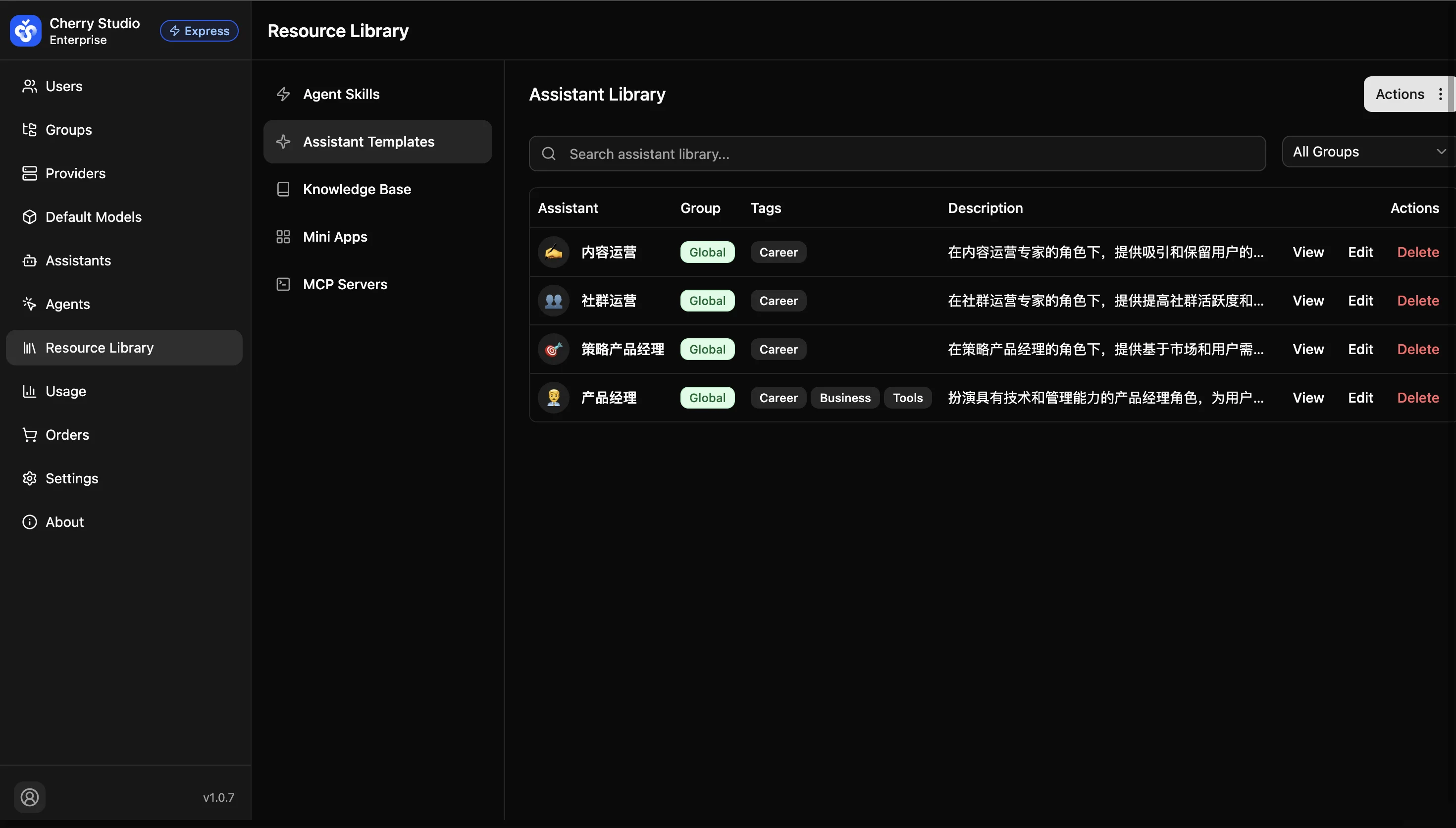
View and manage all published assistant templates, with support for search, creation, and import from the template market.
UI Details
- Search bar: Search by assistant name or description keywords.
- List fields:
- Assistant: Display name and icon.
- Group: The group the assistant is assigned to.
- Tags: Category tags (supports multiple tags).
- Description: Brief summary of the assistant's function.
- Actions: Entry points for view, edit, and delete.
Common Actions
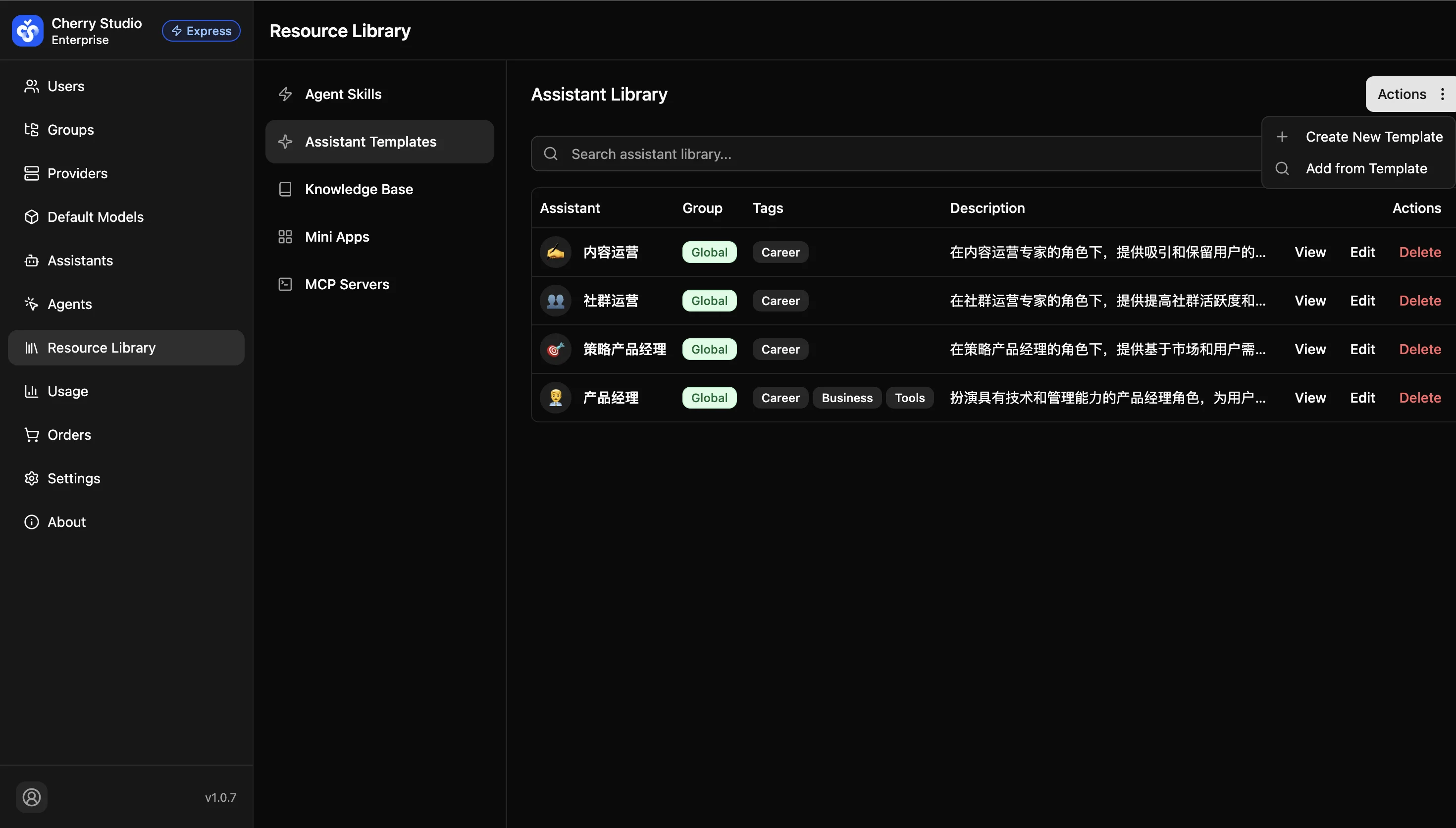
Click Actions in the top-right to open the menu:
- Create new assistant template: Create a new assistant manually.
- Add from templates: Import presets from the official Cherry Studio template library.
Note: Deleting assistants is irreversible. It won't affect users who already saved it locally, but new users won't be able to access it.