Create New Assistant
Configure basic parameters such as icon, name, model, and prompt via the initialization modal to create a new assistant.
Click + Add Assistant in the top right to open the initialization modal. This is the first step to bring an assistant to life.
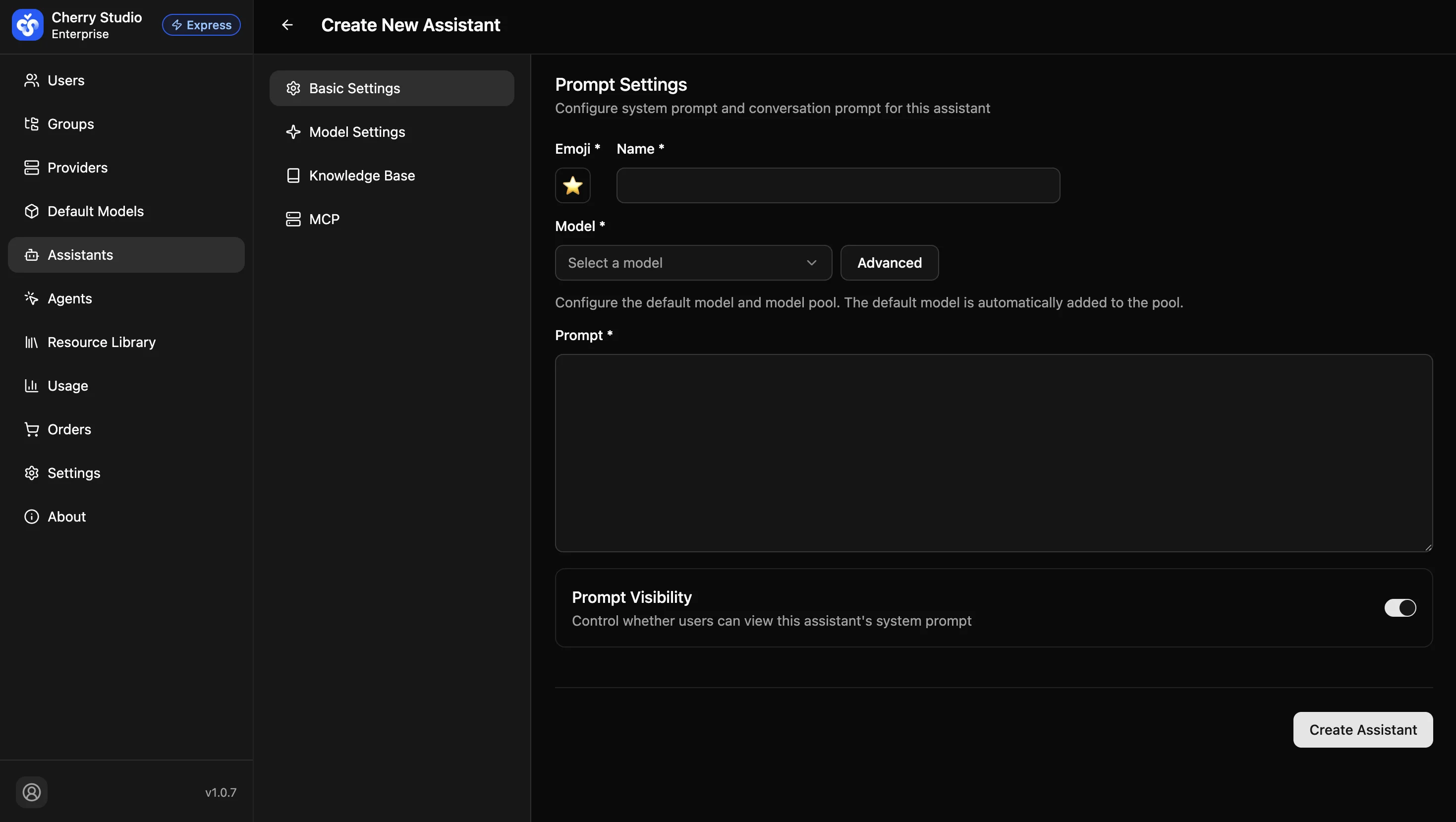
Basic Parameters
| Field | Description | Example |
|---|---|---|
| Icon * | Visual identifier for the assistant; choose by function for quick recognition. | 💻 (Code assistant), ⚖️ (Legal assistant) |
| Name * | Unique identifier. Recommended format: [Department/Function] + Role. | R&D - Code Reviewer |
| Model * | Set the default model and model pool. The default model is automatically added to the model pool. Click "Advanced Configuration" to manage the model pool. | qwen3-max |
| Prompt * | Configure the assistant's system prompt and conversation prompt. Defines goals, output format, and behavioral constraints. | You are a senior Python engineer. Only output code, no explanations... |
| Prompt Visibility | Controls whether users can view this assistant's system prompt. Enabled by default. | On / Off |
Note: The initial prompt is a draft. After creation, refine and test it in Detailed Settings.