Activate License
Import and activate a License file to enable full system functionality and user access.
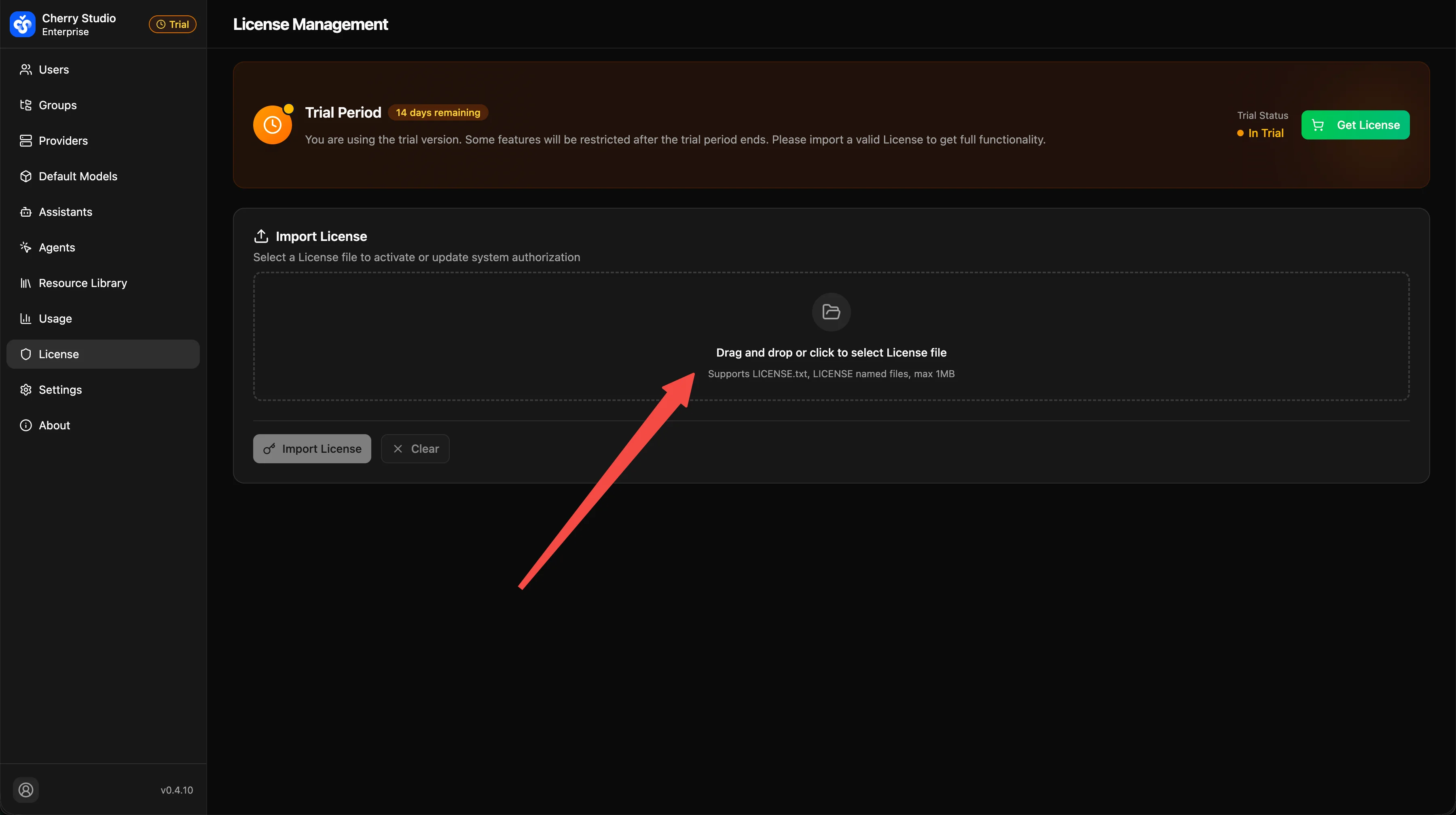
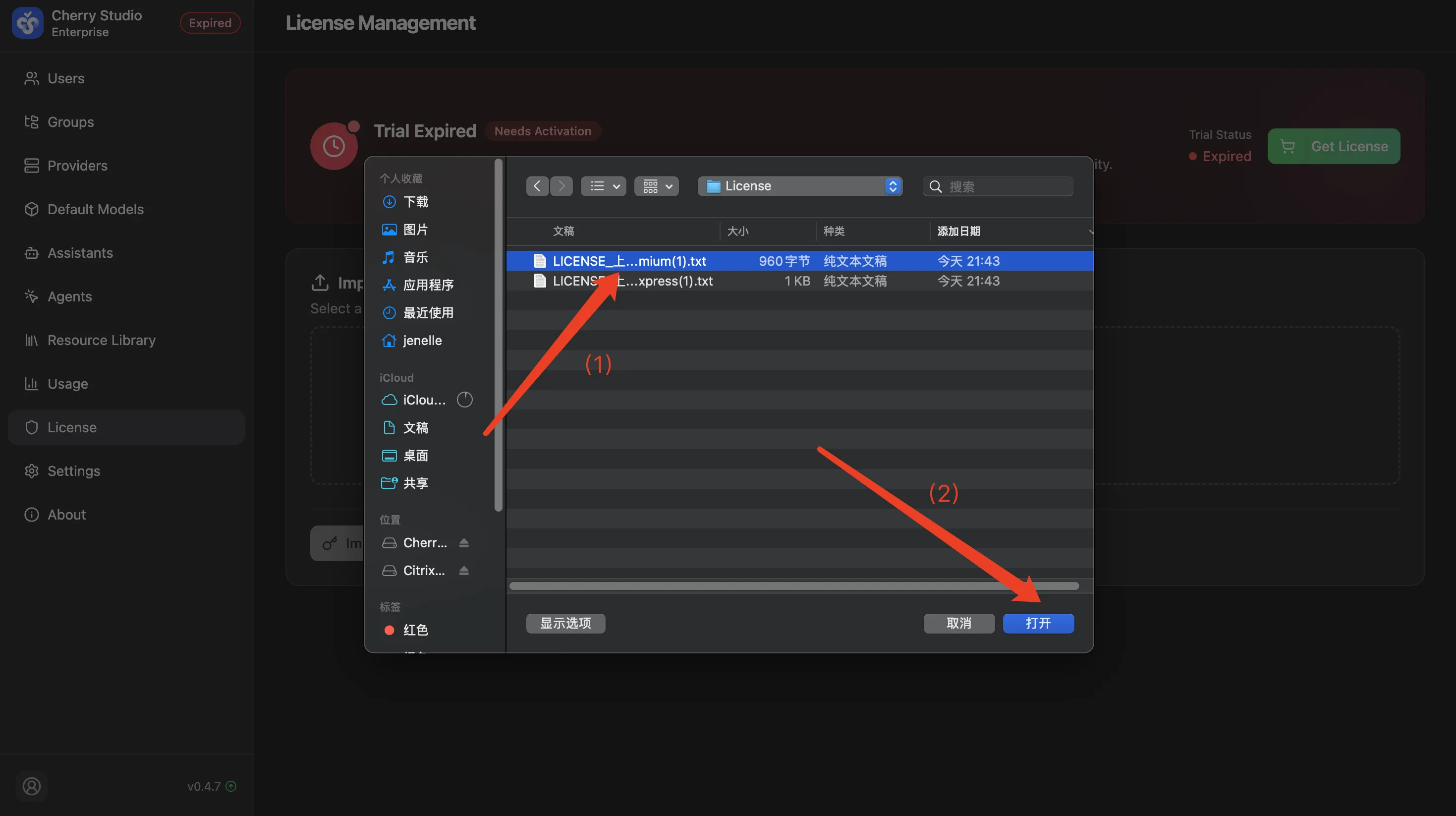
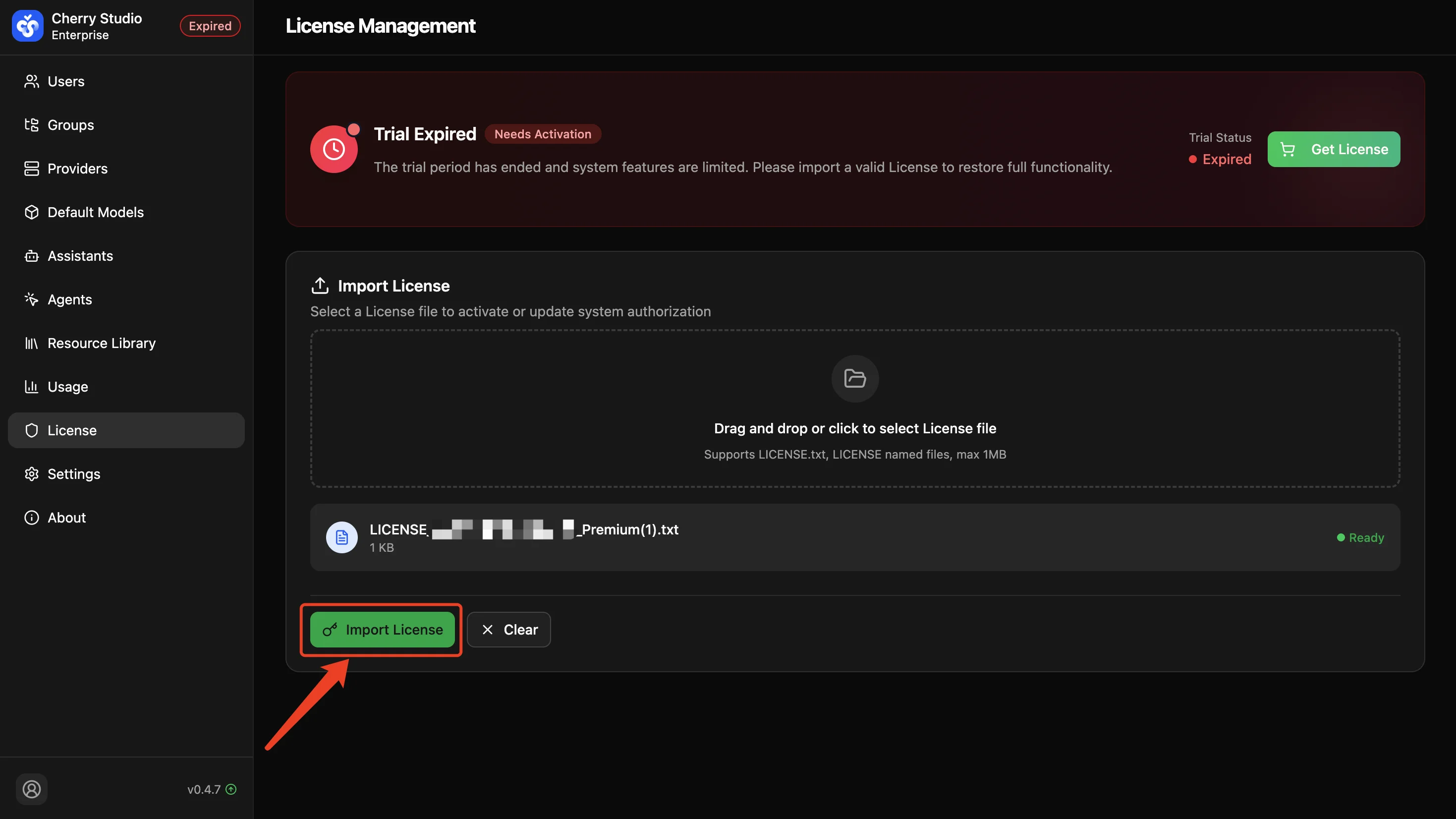
Go to the License Management page and follow these steps to activate/update your license:
Step 1 / 4
Click the upload area or drag and drop the License file
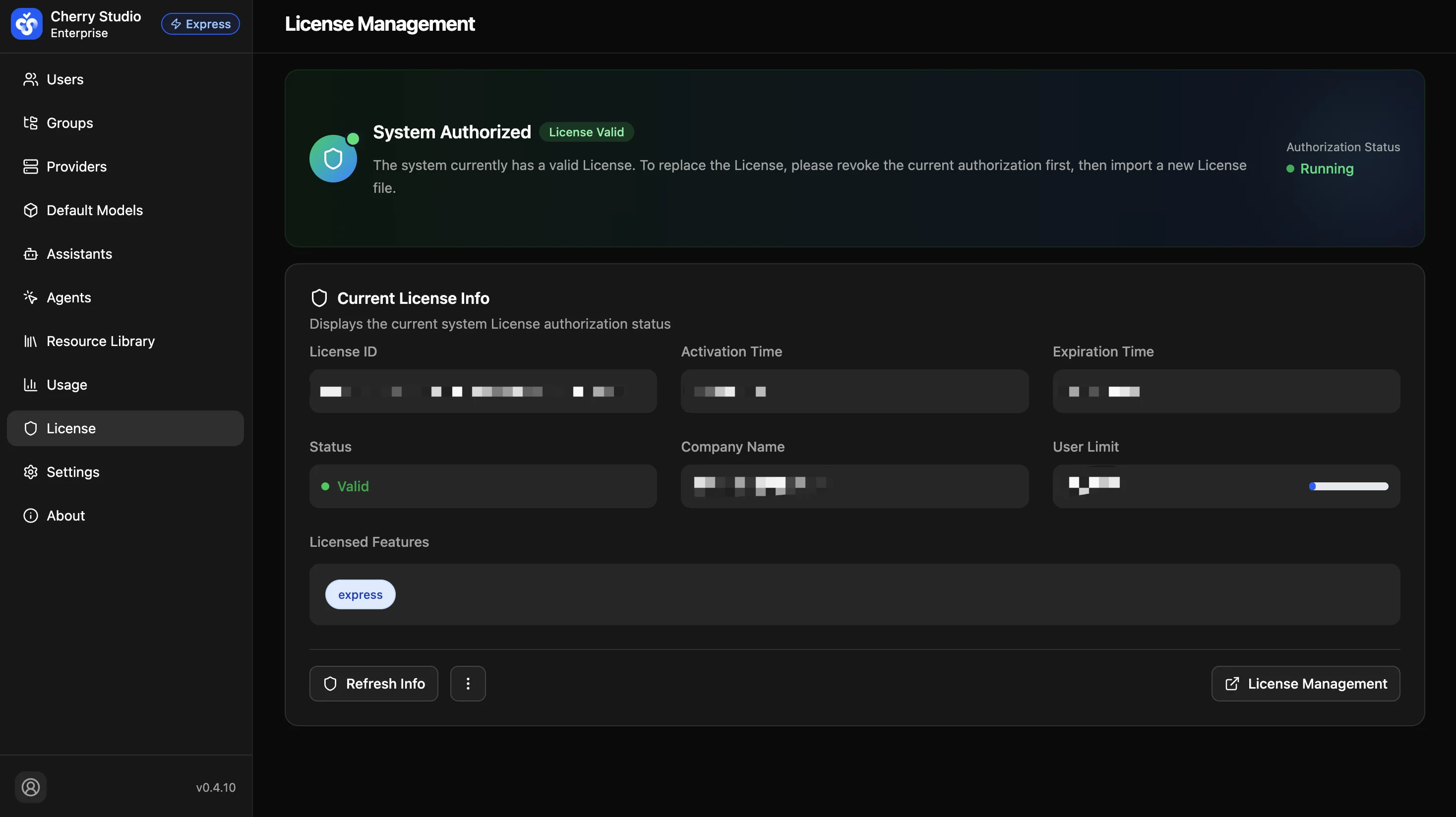
Tip: Administrators should regularly check the license status. If the status becomes invalid, the system may restrict creating new users or suspend some advanced features.