Group Management
Map your organization structure to system groups and finely control each department's access to AI models, assistants, and tools.
Purpose of Group Management
Core value: Group management is not just for categorizing people; it is a firewall for cost control and data security.
- 🛡️ Data and permission isolation: Ensures sensitive departments (finance, legal) have isolated environments and access only specific Assistants, preventing cross-department data leakage.
- 💰 Fine-grained cost control: Restricts expensive models (
Qwen3-Max,DeepSeek-V4) to core R&D or high-priority groups; regular groups can use cost-effective models (Qwen3.5-FlashorDeepSeek-V4-Flash) to reduce token spend. - 🚀 Collaboration efficiency: Predefines assistant lists for each team. New employees added to a group immediately get the required AI tools without manual setup.
UI Overview
In the admin console, select Group Management in the left navigation to see the group list page.
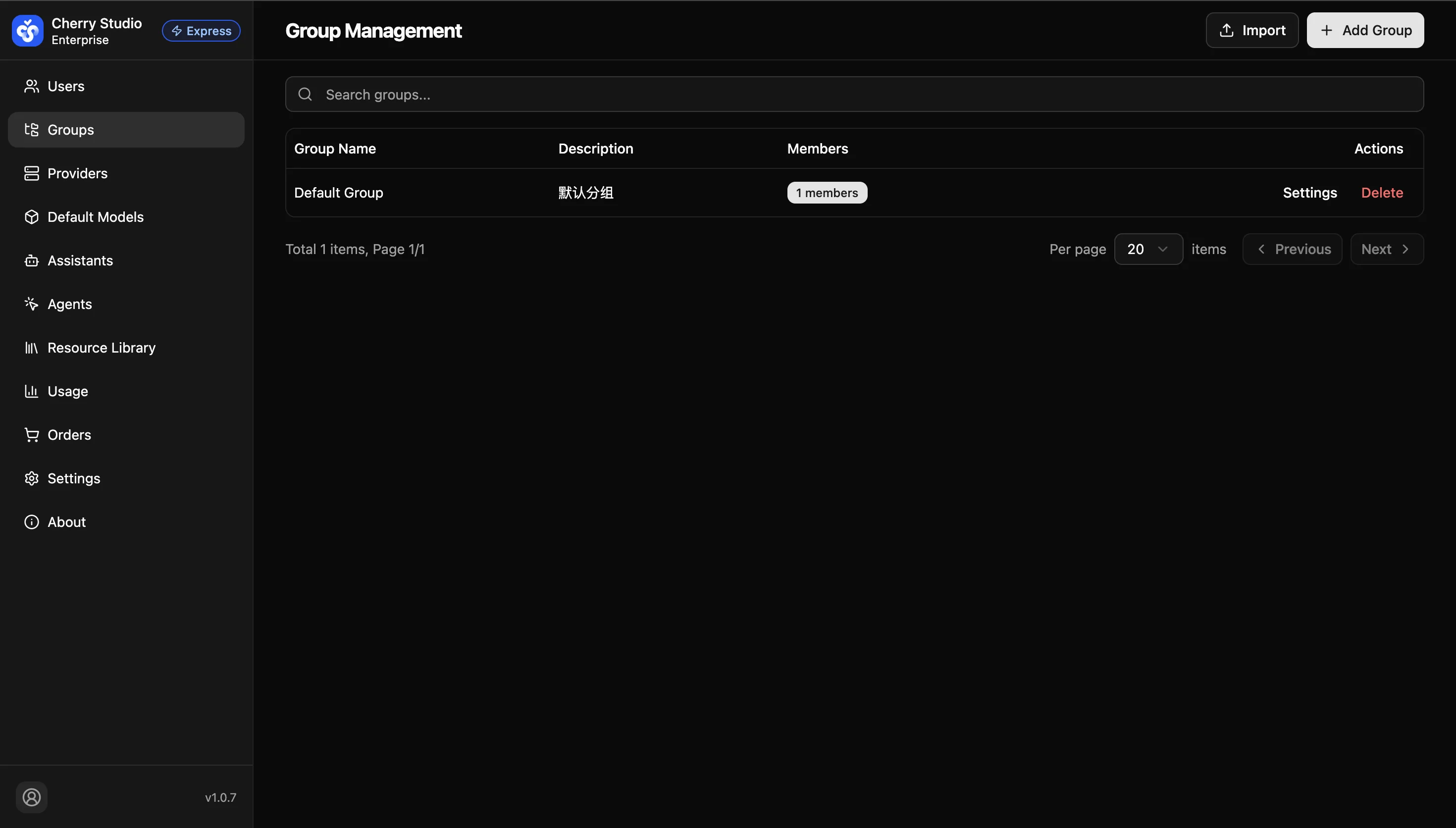
The list includes:
- Group name: Business identifier (e.g., R&D Center).
- Description: Notes about the group's purpose.
- Members: Number of users in the group.
- Actions: Includes Settings and Delete.