Create and Basic Configuration
Create a knowledge base and configure core parameters such as embedding model and chunk size for document retrieval and AI Q&A.
Navigation: Admin Console → Resource Library → Knowledge Base → Click + Add Knowledge Base in the top right
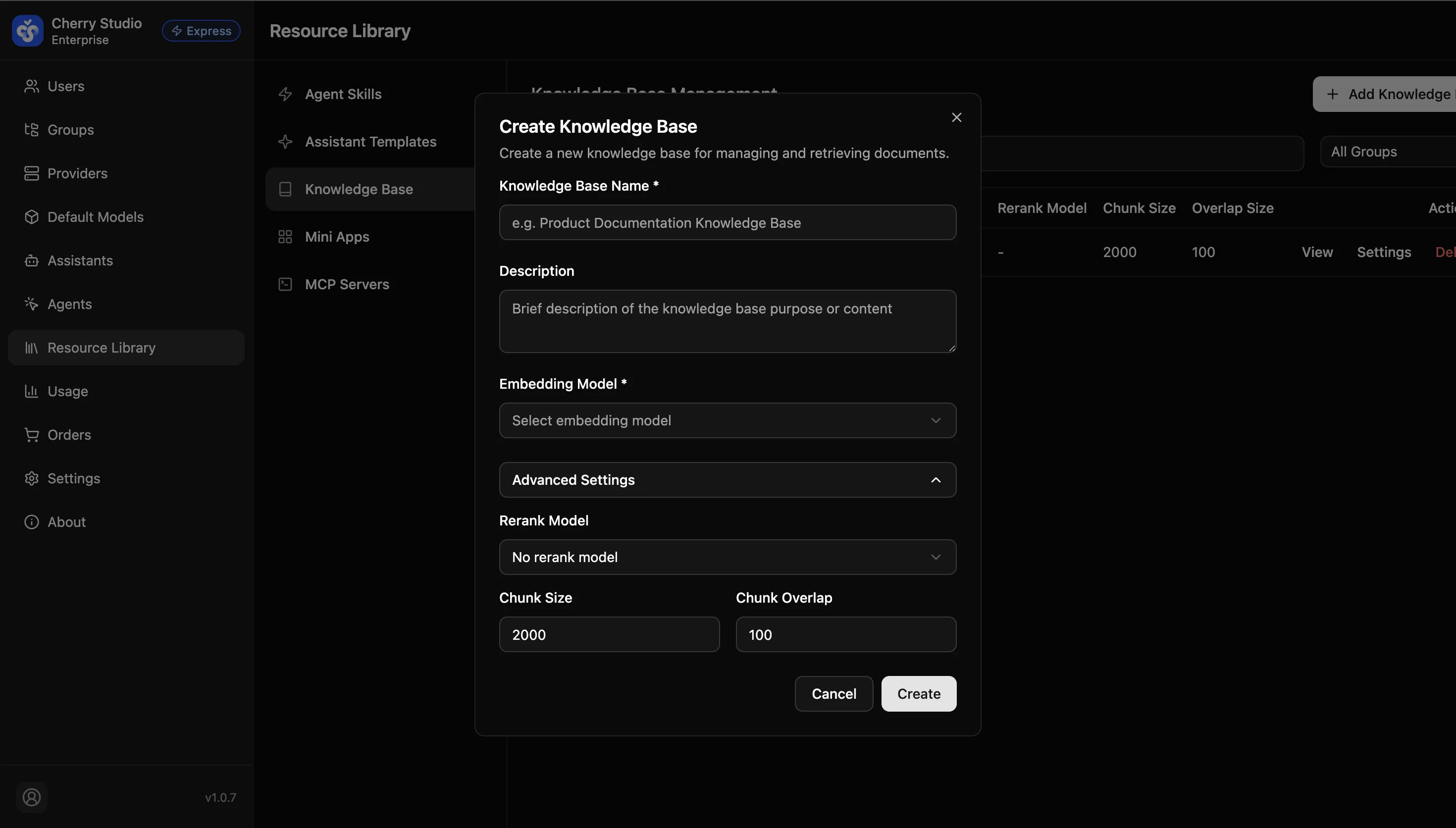
Basic Parameters
| Field | Required | Description |
|---|---|---|
| Knowledge base name | Yes | Use business-identifiable names like Product Technical Docs or Employee Handbook 2024. |
| Description | No | Brief scope notes to help admins collaborate. |
| Embedding model | Yes | Core parameter. Converts text into vectors. Choose multilingual, high-dimension models (e.g., bge-m3 or text-embedding-v3). |
Note: After creation, the Embedding model usually cannot be changed directly. Different models have incompatible vector spaces, so switching requires rebuilding the knowledge base and reindexing documents.
Advanced Settings
Click Advanced Settings to expand. These parameters directly affect retrieval granularity and accuracy.
| Parameter | Recommended | Details |
|---|---|---|
| Rerank model | Enable as needed | Second-pass ranking. The embedding model does fast recall; rerank models rescore results for accuracy. Recommendation: Enable for high-accuracy scenarios (legal, medical). |
| Chunk size | 800 - 1500 | Characters per chunk. Too small loses context; too large adds noise. |
| Overlap | 100 - 200 | Overlap between chunks to preserve semantic continuity. Recommendation: 10%-15% of chunk size. |
Configuration recommendations:
- General docs: Chunk 1000 / Overlap 100
- Code/technical docs: Chunk 1500 / Overlap 200
- Fragmented Q&A: Chunk 500 / Overlap 50