Order List
View all order records, filter by status, and search orders.
Click "Orders" in the left sidebar of the admin console to view all order records.
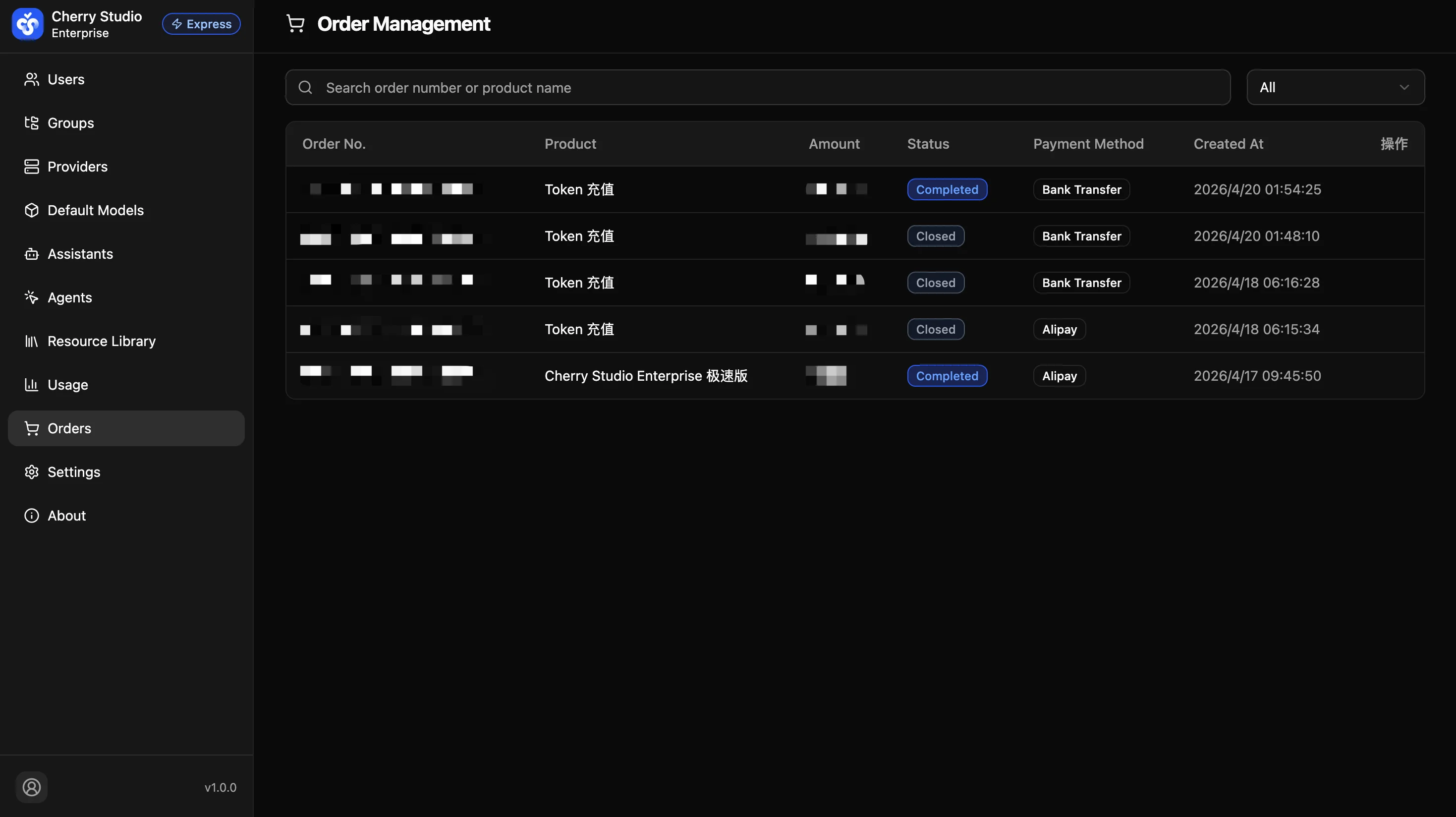
Column Descriptions
| Column | Description |
|---|---|
| Order No. | System-generated unique order number. |
| Product | Name of the purchased product, e.g. "Token Recharge" or "Cherry Studio Enterprise Express". |
| Amount | Order amount. |
| Status | Current order status (see status descriptions below). |
| Payment Method | Bank Transfer or Alipay. |
| Created At | Date and time the order was created. |
Search and Filter
- Search bar: Search by order number or product name.
- Status filter: Filter orders by status such as "All", "Completed", "Closed", etc.
Order Statuses
| Status | Description |
|---|---|
| Pending | Order created, awaiting payment. |
| Paid | Payment received, awaiting system confirmation and service activation. |
| Completed | Payment confirmed — service activated or Tokens credited. |
| Closed | Order closed (payment timed out or manually cancelled). |
Pending orders display a countdown timer for the remaining payment window. You can click "Pay" to continue payment, or "Cancel" to close the order.