Using a Discount Code
Enter a discount code on the Order Summary when purchasing or renewing an Express plan.
Discount codes apply only to Express plan purchase and renewal. They don't apply to balance (Token) top-ups.
Where to Enter It
When placing an order, the Order Summary page shows a Discount code field on the right.
Two ways to reach the Order Summary page:
- First-time setup: Register an account → create an organization → select a plan → complete enterprise verification. You'll land here automatically. See the full flow in Quickstart · Express.
- Renewal or new organization: Go to Account Center → Linked Organizations → click Create organization, or use the renewal entry for an expired organization.
Applying the Code
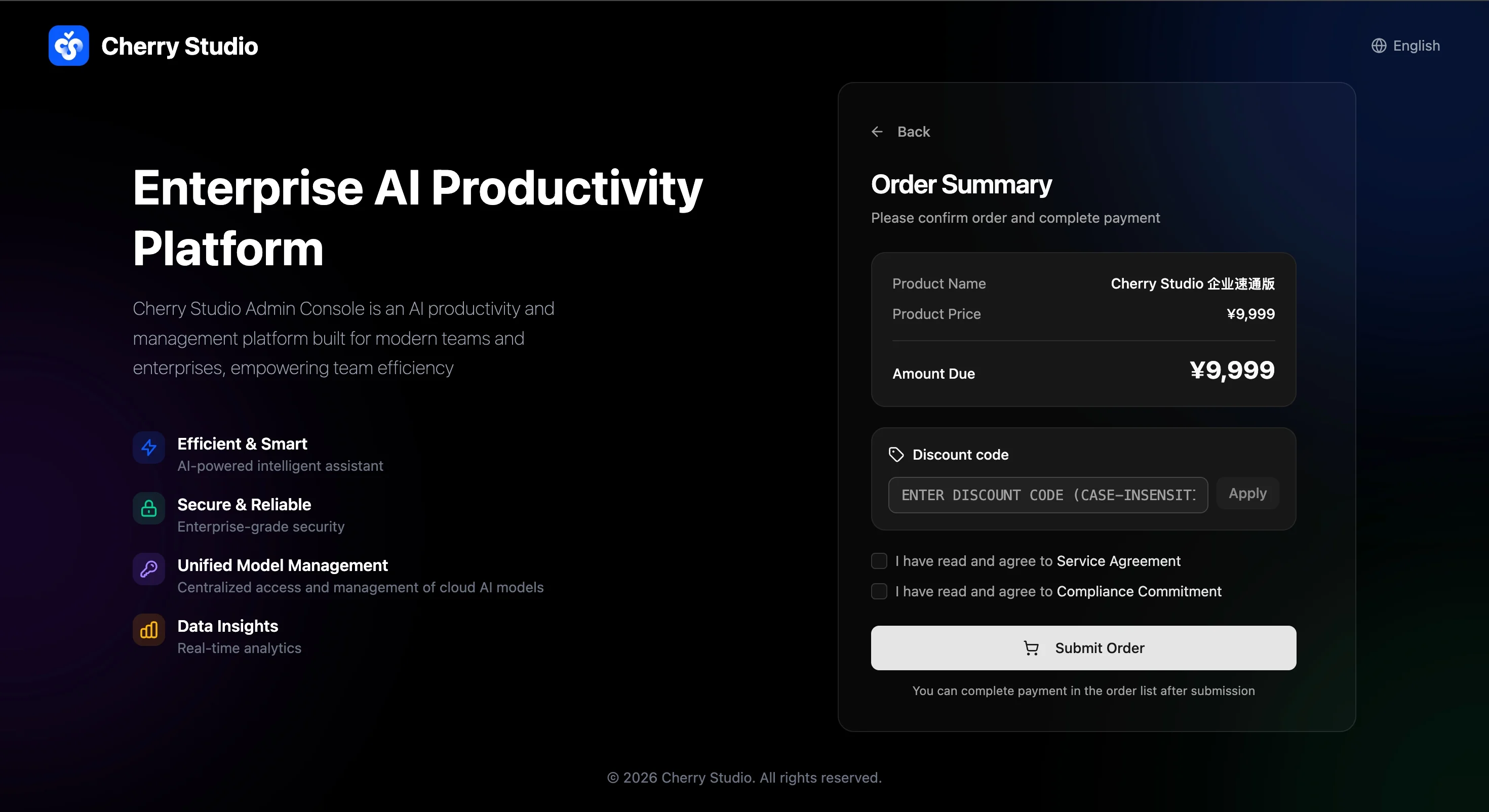
Enter your code in the Discount code field (case-insensitive) and click Apply. The order total updates based on the result. Submit the order once everything looks correct.
Getting a Code
Discount codes are issued by the Cherry Studio team:
- For business inquiries, contact us.
- Public codes are announced via official channels (official WeChat, customer support) during marketing campaigns.