Document Preprocessing Configuration
Configure external OCR services like MinerU or Doc2x to enhance knowledge base parsing of scanned documents and complex tables.
Why configure this?
This module enhances Knowledge Base parsing. Default text parsers may fail on complex PDF tables, formulas, or scanned images. Integrating OCR services significantly improves recognition.
- Without configuration: Only the PDF text layer is extracted. Scanned/image PDFs cannot be read.
- With configuration: The system calls external OCR and layout analysis APIs, preserving tables and formulas.
Configuration Steps
- Go to System Settings > Document Preprocessing.
- Choose a provider (
MinerUorDoc2x). - Enter API information.
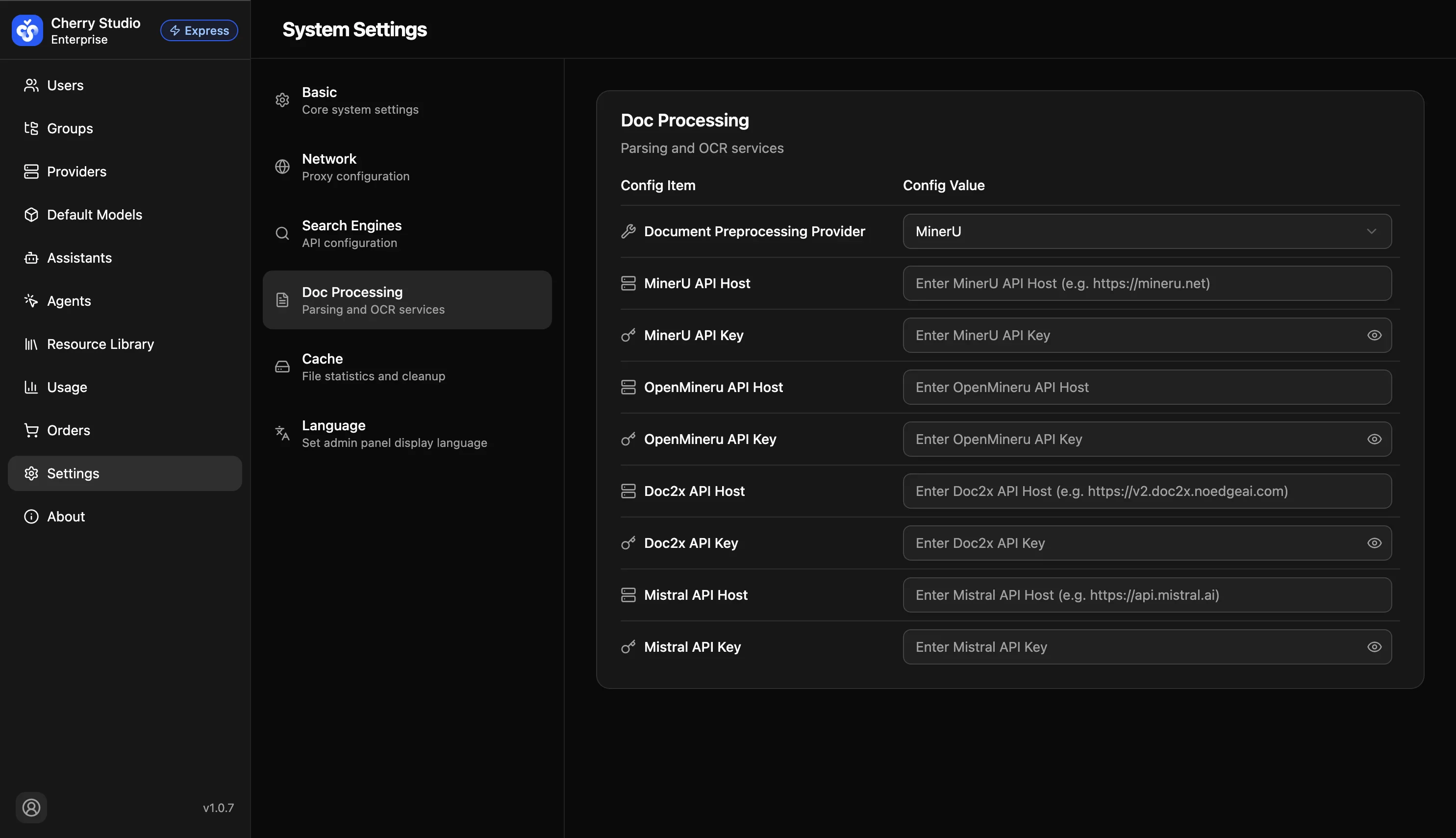
Parameter Details
| Parameter | Description | Example |
|---|---|---|
| Preprocessing provider | Backend engine for parsing | MinerU / Doc2x |
| API Host | Provider endpoint | MinerU default: https://minerU.net (example) |
| API Key | Authentication key | sk-... |
Use case: After configuration, no extra steps are required. When you upload PDFs to the knowledge base, the system will apply these settings automatically.