Search Engine Configuration
Configure search engines to enable assistants to retrieve real-time information from the web (RAG mode).
Supported Providers
Cherry Studio integrates multiple mainstream search APIs. Choose based on your needs:
- Tavily (recommended): AI-optimized with low noise and direct content extraction.
- Zhipu: Good for Chinese-language search.
- SearxNG: For privacy-focused self-hosted deployments.
- ExaSearch / Bocha: Other neural search providers.
Configuration Steps
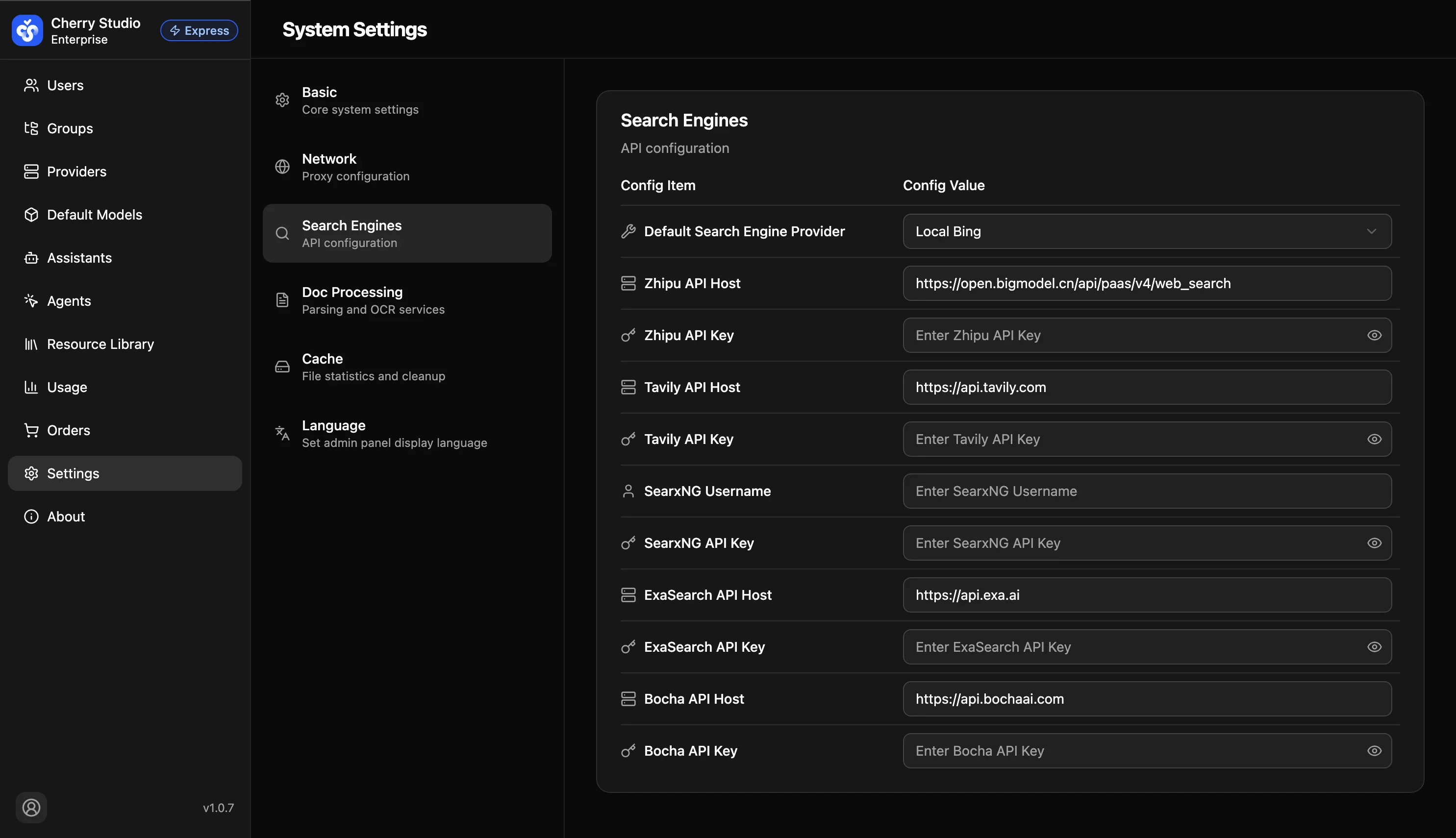
- In Default search provider, select a provider for which you have an API key (e.g.,
Tavily). - Fill in the authentication details below.
Parameter Details
| Parameter | Description | How to get/fill |
|---|---|---|
| Default search provider | Required. The provider actually used for web search. | Choose from dropdown (e.g., Tavily). |
| API Host | Provider endpoint. | Usually default. For self-hosted (SearxNG), enter your server address. |
| API Key | Your private access key. | Obtain from provider console. |
| Username | Only required for SearxNG. | Fill in if basic auth is enabled. |
Validation and Troubleshooting
After configuration, create an assistant with Web Search enabled and ask: "What are the latest AI news today?" If the answer includes cited links, the configuration is successful.
Network Settings
Configure proxy servers to ensure the system can access the configured model providers and external APIs in restricted network environments.
Document Preprocessing Configuration
Configure external OCR services like MinerU or Doc2x to enhance knowledge base parsing of scanned documents and complex tables.