Add New User
Manually create user accounts with username, password, and group assignment.
Express users can add members quickly via invite links. See Member Invitation.
Workflow
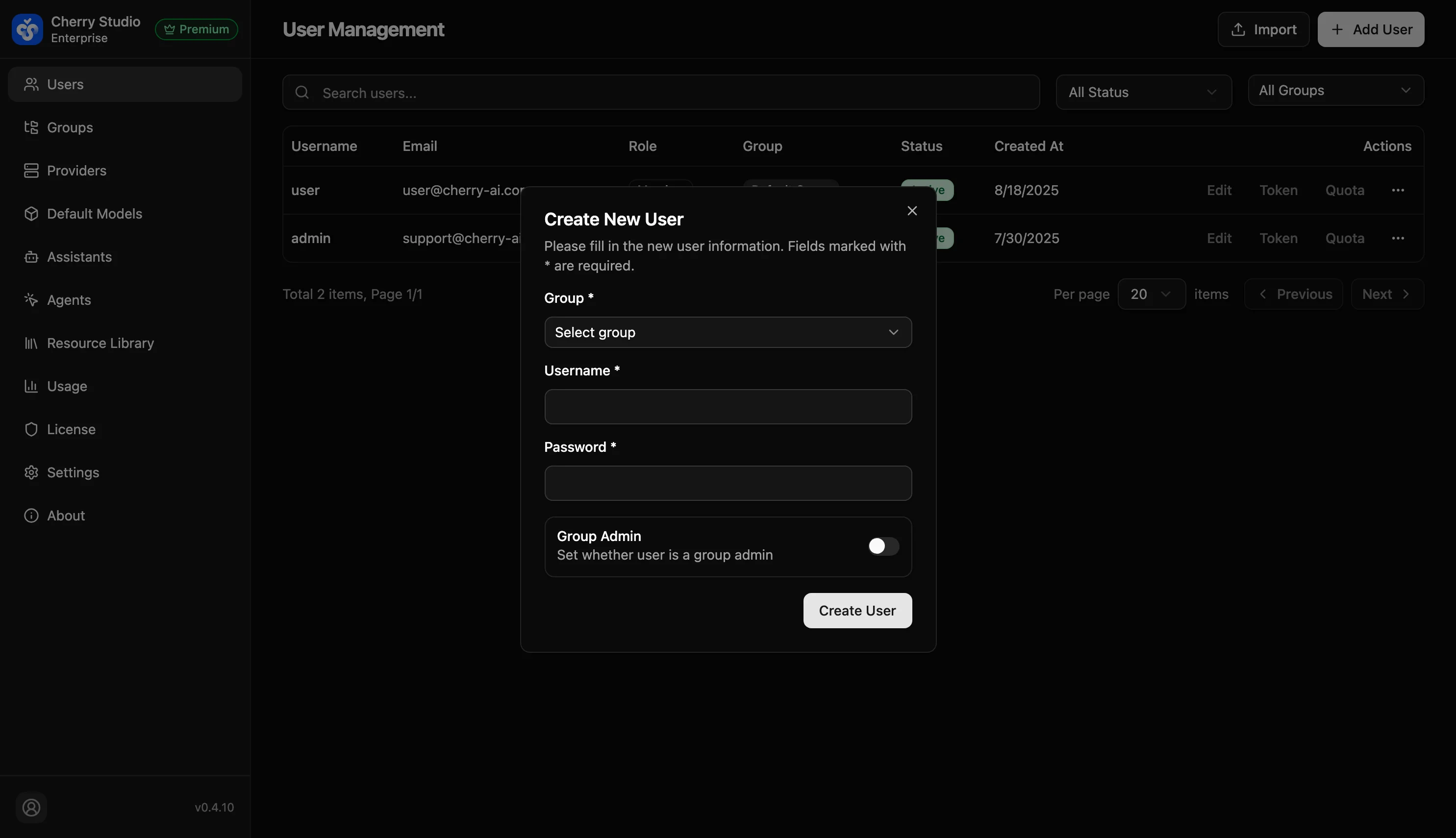
- In the top-right of the User Management page, click + Add User.
- In the drawer/modal, complete the configuration:
Parameter Details
| Field | Required | Format | Description |
|---|---|---|---|
| Group | Yes | Dropdown | Core setting. Determines which models (Model Providers) and assistants the user can access. |
| Username | Yes | At least 3 characters | Recommend using name or employee ID; must be unique. |
| Password | Yes | At least 6 characters | Initial login password. |
| Group Admin | No | Toggle (off by default) | When enabled, the user is set as an admin of their group. |
- Click Create User to finish.
Tip: For security, notify users to change the initial password after first login.