Edit and Maintain
Update user info, ban or delete accounts in response to organization changes and personnel turnover.
Edit User Information
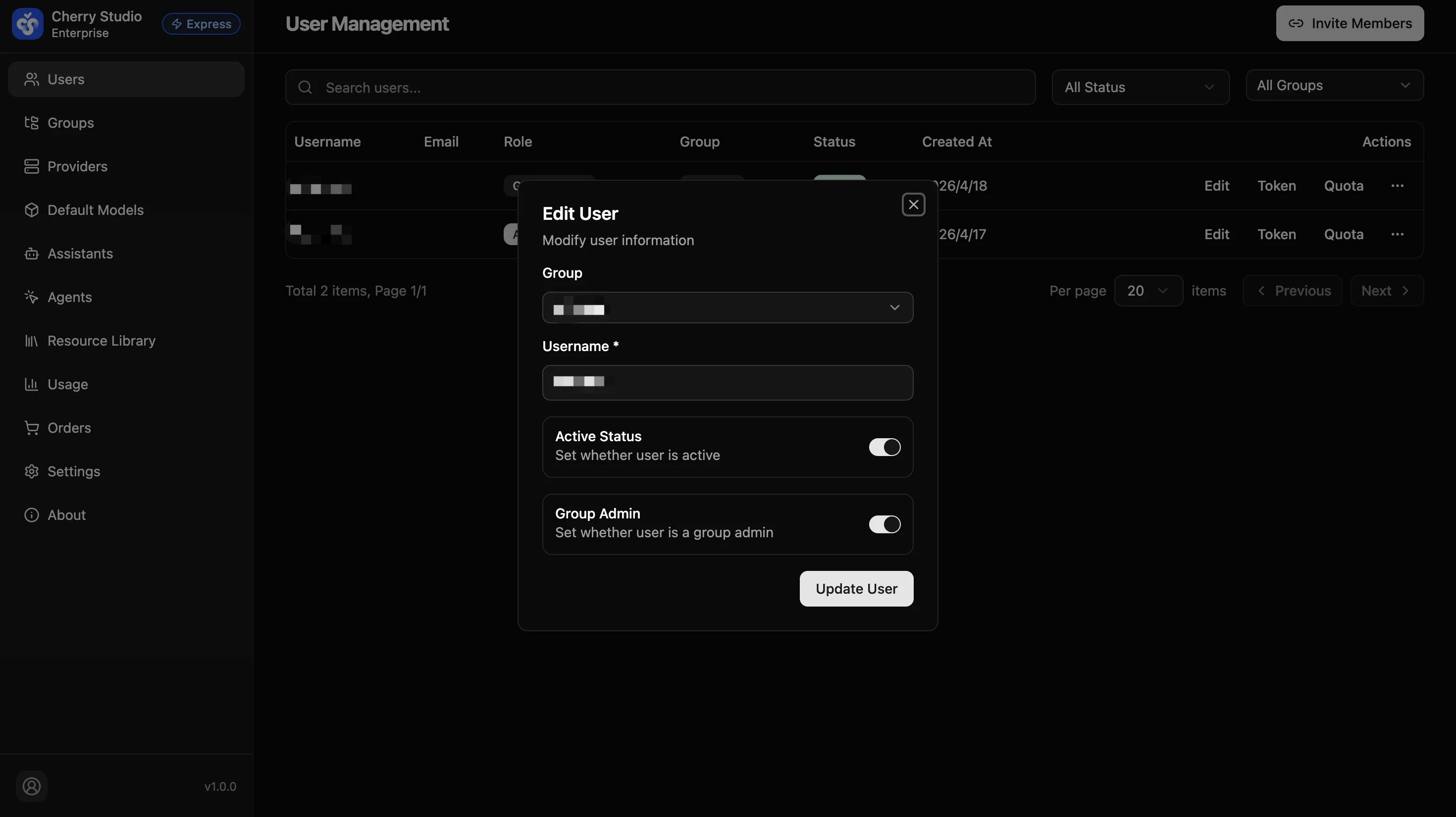
To change group assignment or account status:
- Find the user in the list.
- Click the Edit button in the Actions column.
- In the Edit User panel, make the desired changes:
- Permission change: Update Group and changes take effect immediately.
- Account suspension: Turn off Active status to revoke login access immediately.
- Promote to admin: Turn on Group Admin to grant administrator privileges.
- Click Update User to save.
The Edit User panel includes: Group, Username, Active Status, and Group Admin.
Users register via invite links and manage their own passwords. Admins cannot view or reset user passwords.
Delete Users
For offboarded employees or obsolete test accounts:
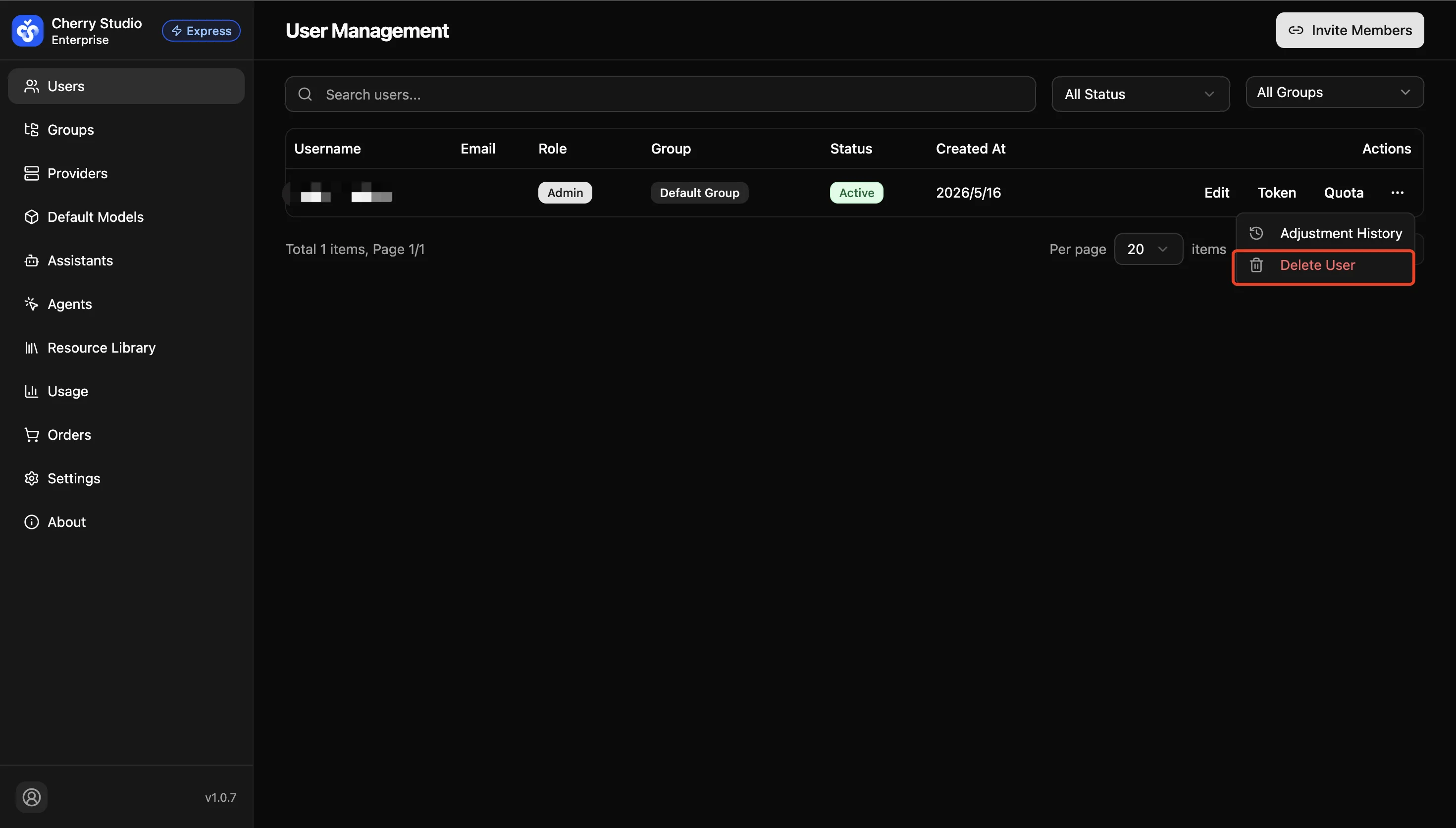
- Click the ⋮ icon in the Actions column.
- Select Delete User (red option).
- Confirm the deletion in the confirmation dialog.
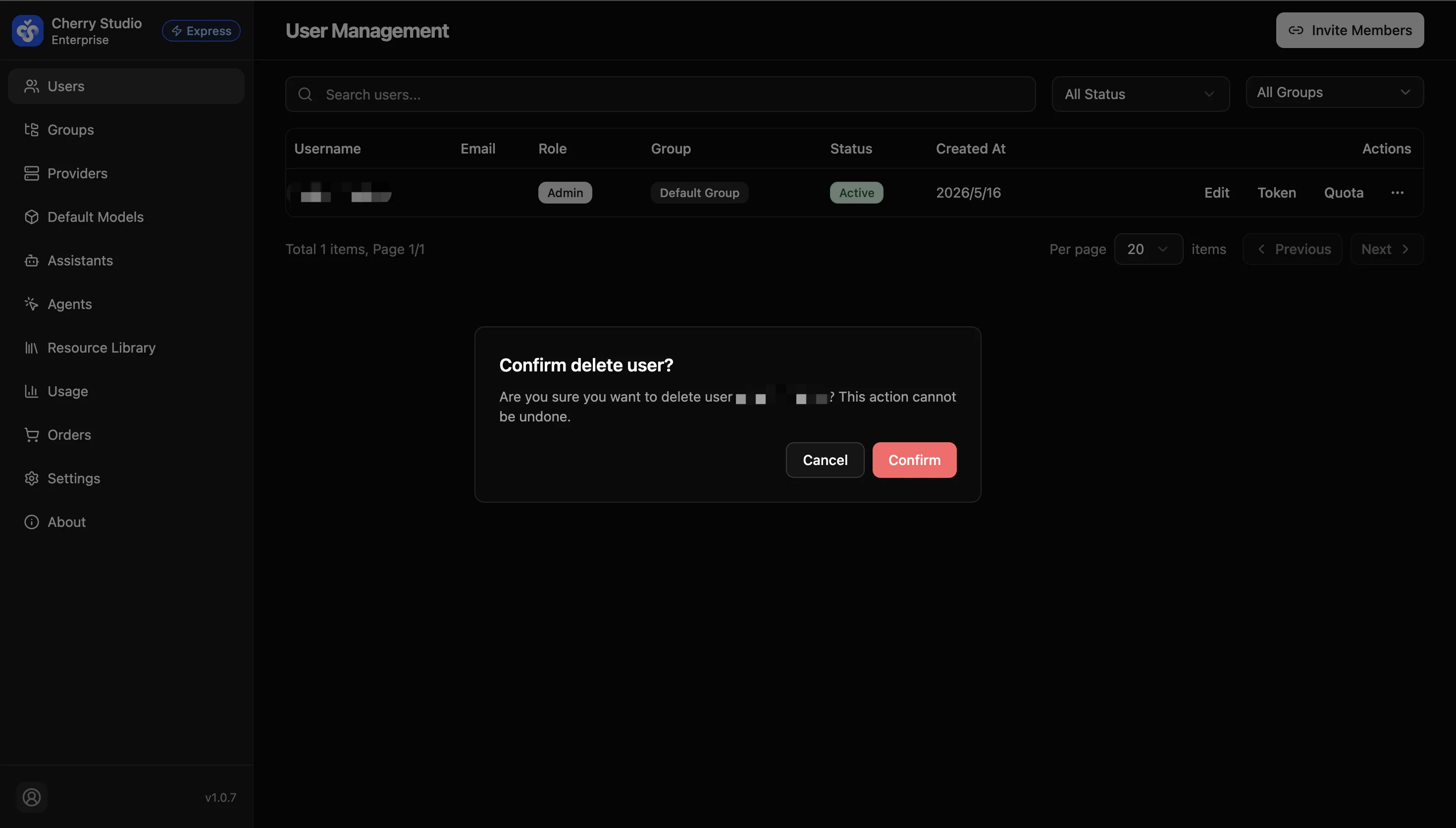
Warning: Deletion is irreversible. After deletion, the user's personal knowledge base settings and chat history may not be recoverable.