Runtime dependencies
Prepare the runtimes needed to use client agents on your operating system.
If you plan to use agents, the following runtimes must be installed on the computer running the client; they are not needed if you only use chat, knowledge base, and similar features.
Match the list to your OS:
- Windows users: install Python, Node.js, and Git for Windows
- macOS / Linux users: install Python and Node.js
Python
Download page: https://www.python.org/downloads/
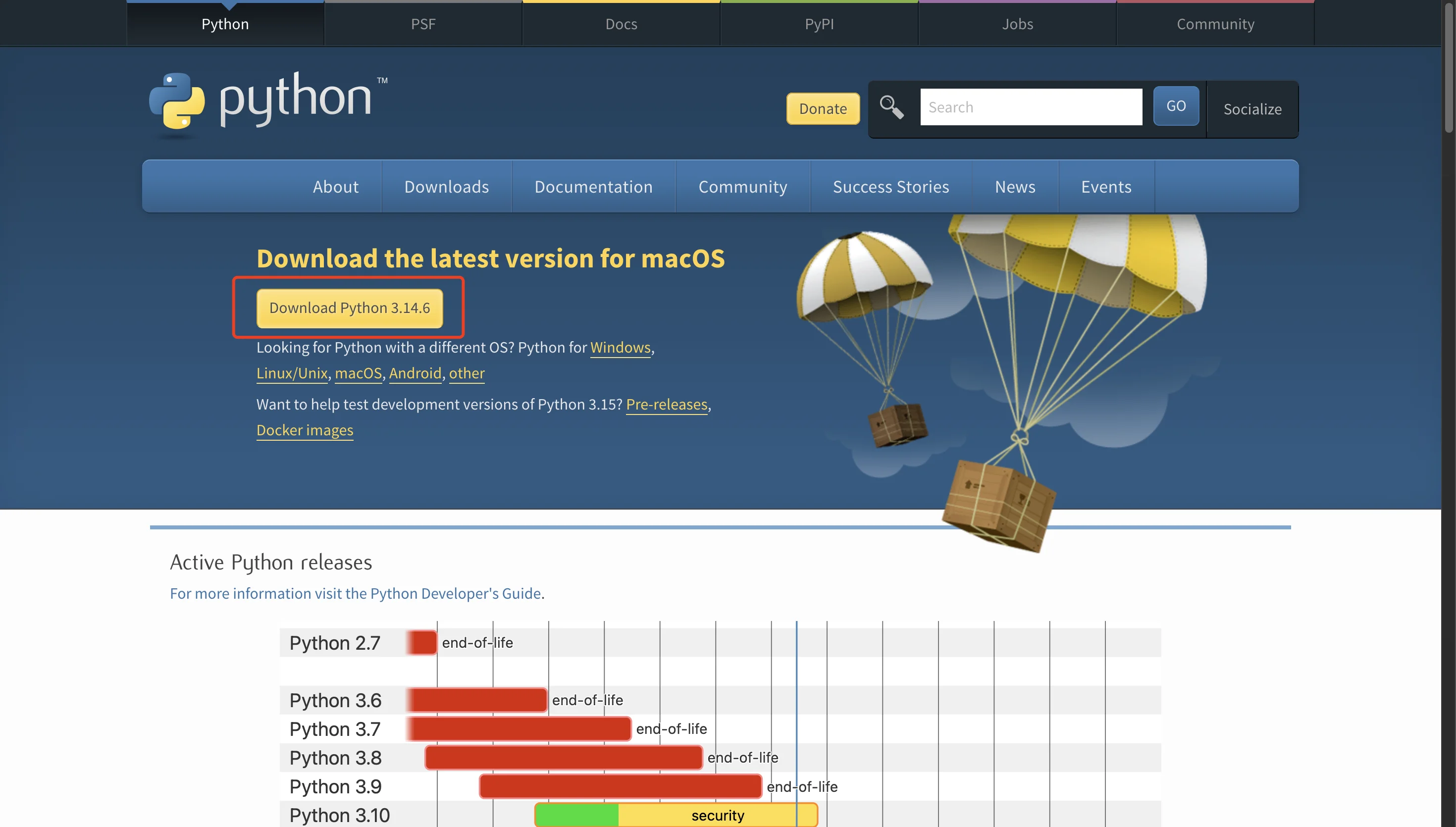
The page auto-detects your OS — click the large download button at the top to get the matching installer. The screenshot below is the macOS view; on Windows the button reads "Download the latest version for Windows".
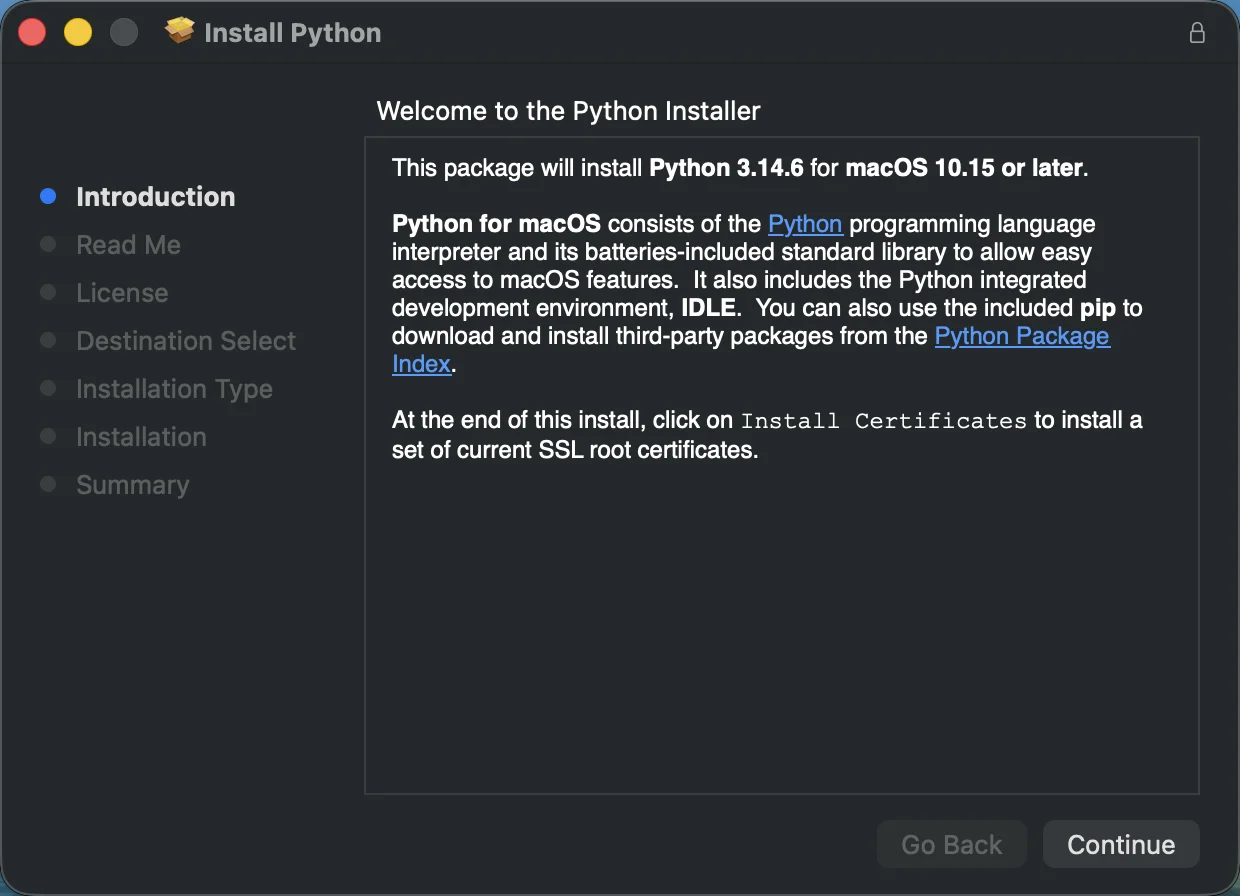
After the download finishes, double-click the installer and follow the wizard — clicking Continue / Next through each step is enough to complete the install:
Node.js
-
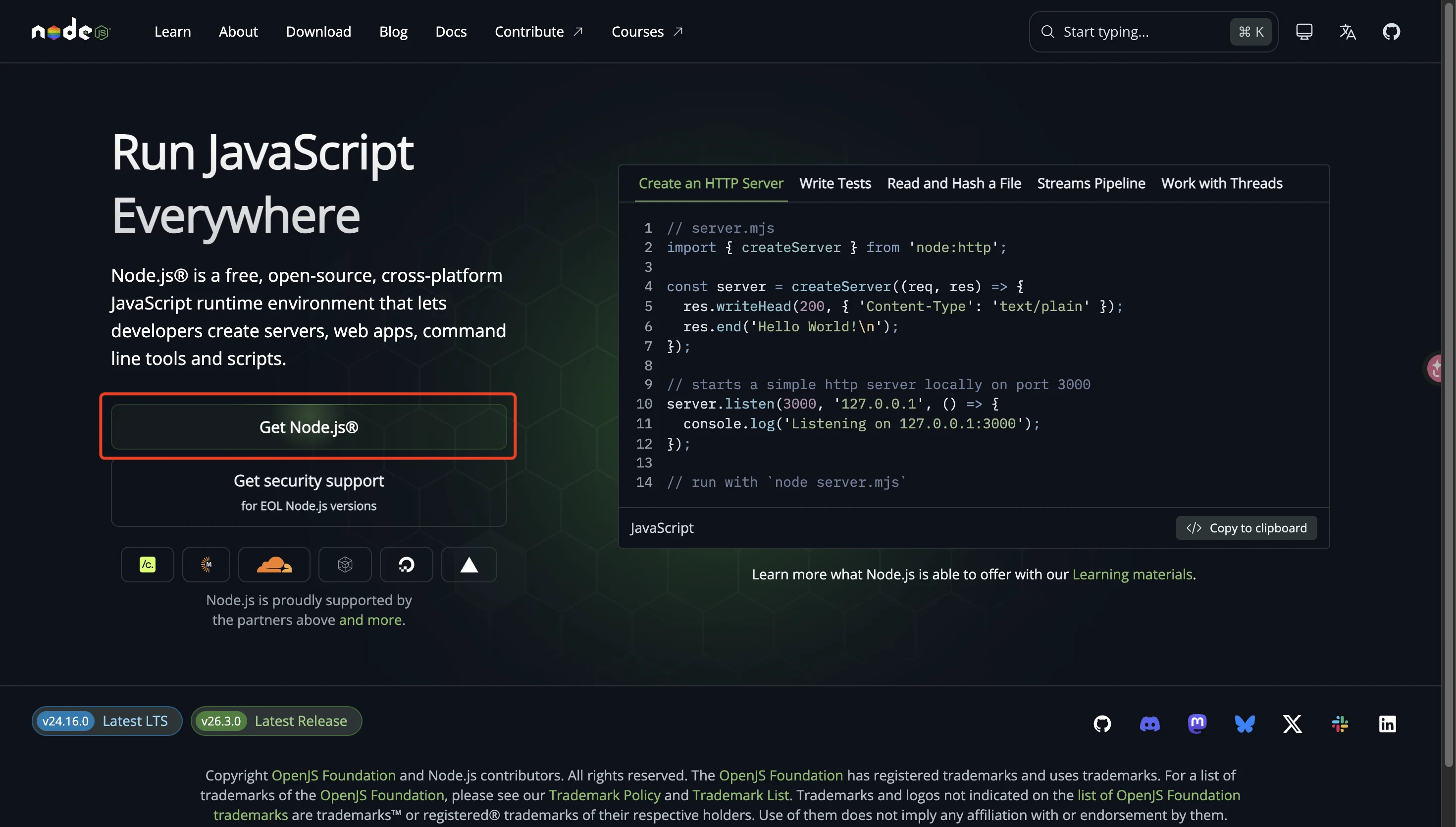
Open https://nodejs.org/ and click the Get Node.js button:
-
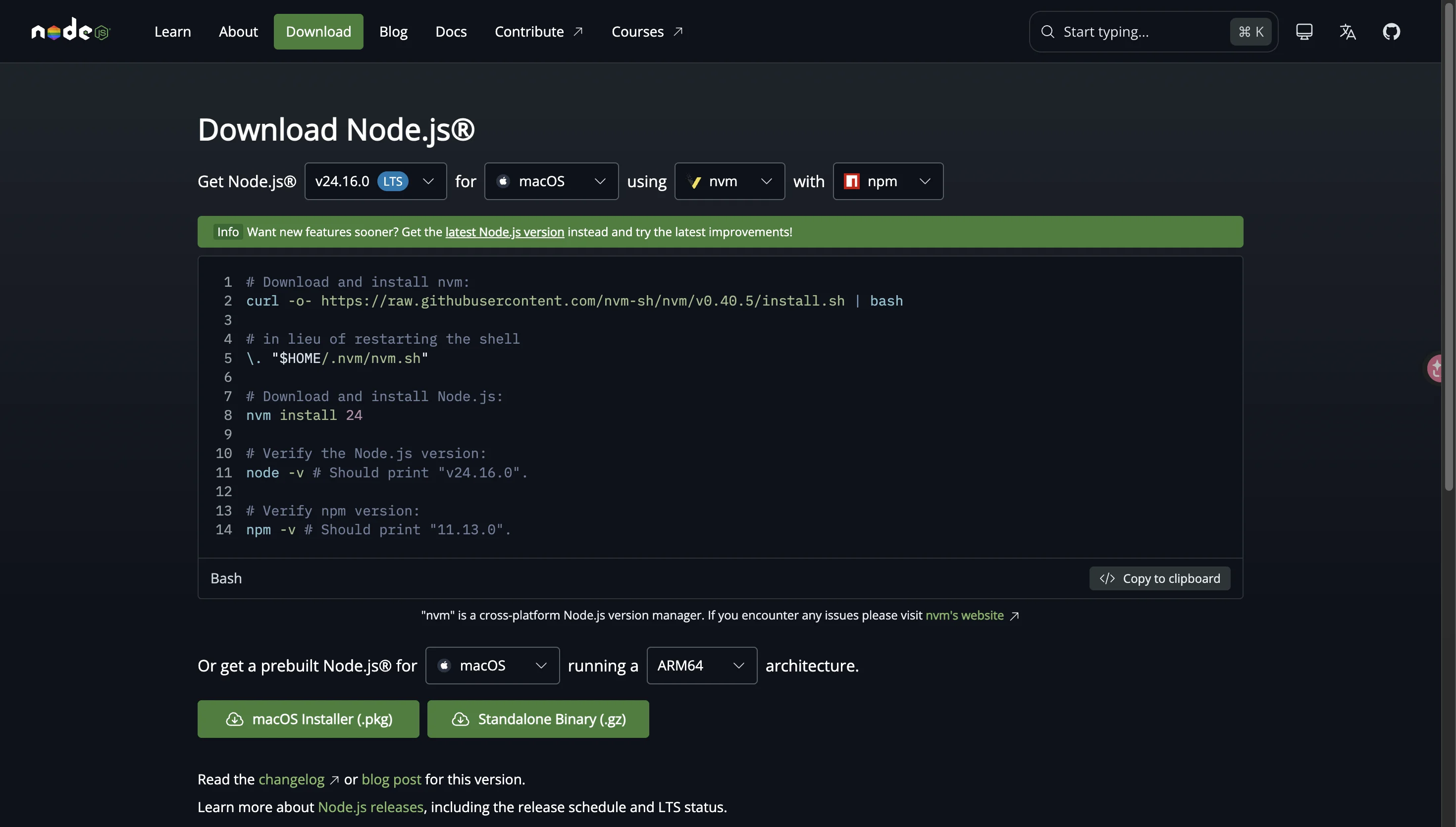
On the download page, pick your OS from the dropdown at the top (Windows / macOS / Linux), then click the Installer button below to download the installer:
Git for Windows (Windows only)
macOS / Linux ship with bash — skip this section.
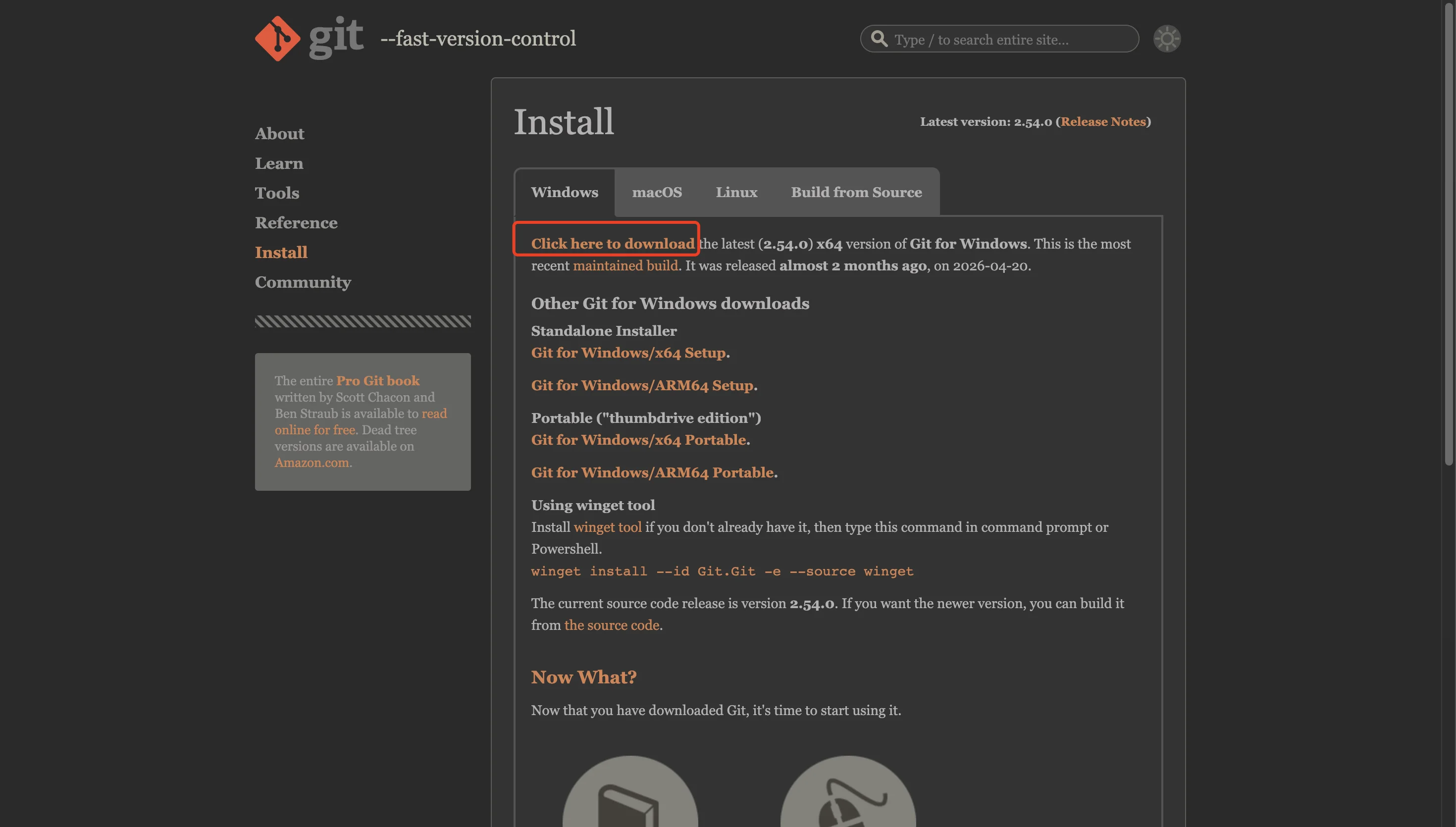
Download page: https://git-scm.com/downloads/win
Click the Click here to download link at the top of the page to grab the latest installer. Keep the default options during install; Git Bash is included automatically.
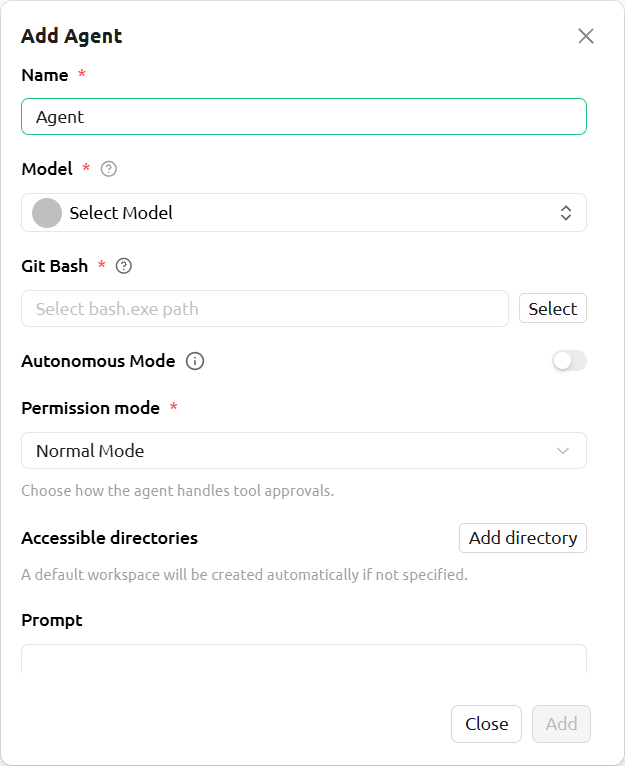
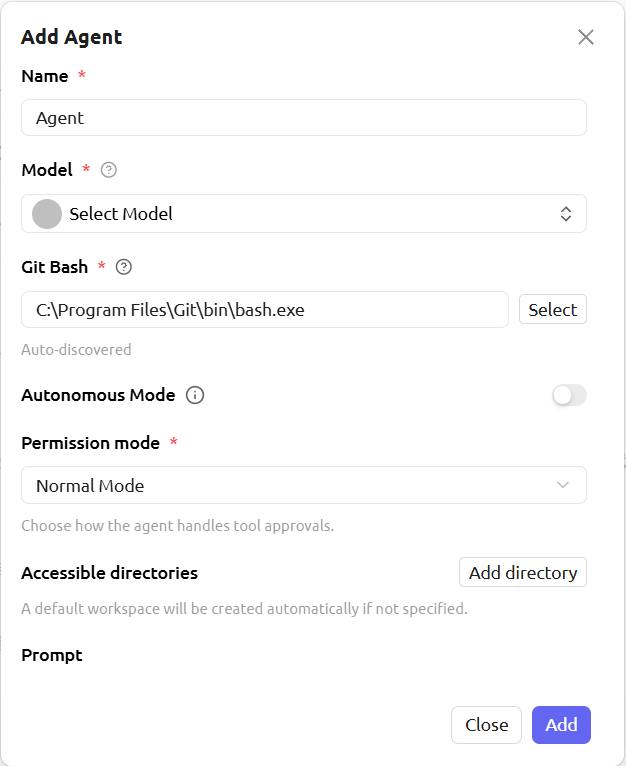
Once installed, the Git Bash path will be detected automatically when creating an agent. If the path is empty (as shown on the left), Git for Windows has not been installed yet: